
'%3e%3cpath%20fill-rule='evenodd'%20clip-rule='evenodd'%20d='M6.99935%2012.8327C10.221%2012.8327%2012.8327%2010.221%2012.8327%206.99935C12.8327%203.77769%2010.221%201.16602%206.99935%201.16602C3.77769%201.16602%201.16602%203.77769%201.16602%206.99935C1.16602%2010.221%203.77769%2012.8327%206.99935%2012.8327Z'%20stroke='%23666666'%20stroke-linecap='round'%20stroke-linejoin='round'/%3e%3cpath%20d='M1.16602%207H12.8327'%20stroke='%23666666'%20stroke-linecap='round'%20stroke-linejoin='round'/%3e%3cpath%20fill-rule='evenodd'%20clip-rule='evenodd'%20d='M6.99935%2012.8327C8.28802%2012.8327%209.33268%2010.221%209.33268%206.99935C9.33268%203.77769%208.28802%201.16602%206.99935%201.16602C5.71068%201.16602%204.66602%203.77769%204.66602%206.99935C4.66602%2010.221%205.71068%2012.8327%206.99935%2012.8327Z'%20stroke='%23666666'%20stroke-linecap='round'%20stroke-linejoin='round'/%3e%3cpath%20d='M2.875%202.95898C3.93063%204.01461%205.38896%204.66754%206.99978%204.66754C8.61062%204.66754%2010.069%204.01461%2011.1246%202.95898'%20stroke='%23666666'%20stroke-linecap='round'%20stroke-linejoin='round'/%3e%3cpath%20d='M11.1246%2011.0425C10.069%209.98691%208.61062%209.33398%206.99978%209.33398C5.38896%209.33398%203.93063%209.98691%202.875%2011.0425'%20stroke='%23666666'%20stroke-linecap='round'%20stroke-linejoin='round'/%3e%3c/g%3e%3cdefs%3e%3cclipPath%20id='clip0_1267_9109'%3e%3crect%20width='14'%20height='14'%20fill='white'/%3e%3c/clipPath%3e%3c/defs%3e%3c/svg%3e)


Top 8 Must-Have Skills for Office Automation


In modern office environments, managing complex workflows often requires efficient multi-step approval routing to ensure decisions are tracked and executed without delays. This skill streamlines processes like document reviews and resource allocations by automating sequential or parallel approvals across teams. Mastering tools that support such routing enhances productivity and reduces errors in collaborative settings.
Microsoft Power Automate - Approval Flows
Microsoft Power Automate enables the creation of automated approval workflows that route requests through multiple stakeholders, useful for handling expense reports or project proposals by notifying approvers via email or Teams and logging outcomes in real-time.
Zapier - Multi-Step Integrations
Zapier connects apps like Google Workspace and Slack to automate multi-step approval routing, such as triggering notifications and updates after each approval stage, which helps maintain workflow visibility without manual intervention.
Trello - Board-Based Routing
Trello automates approval processes using customizable boards and power-ups, allowing cards to move through lists representing approval steps, ideal for visual tracking of tasks in agile teams.
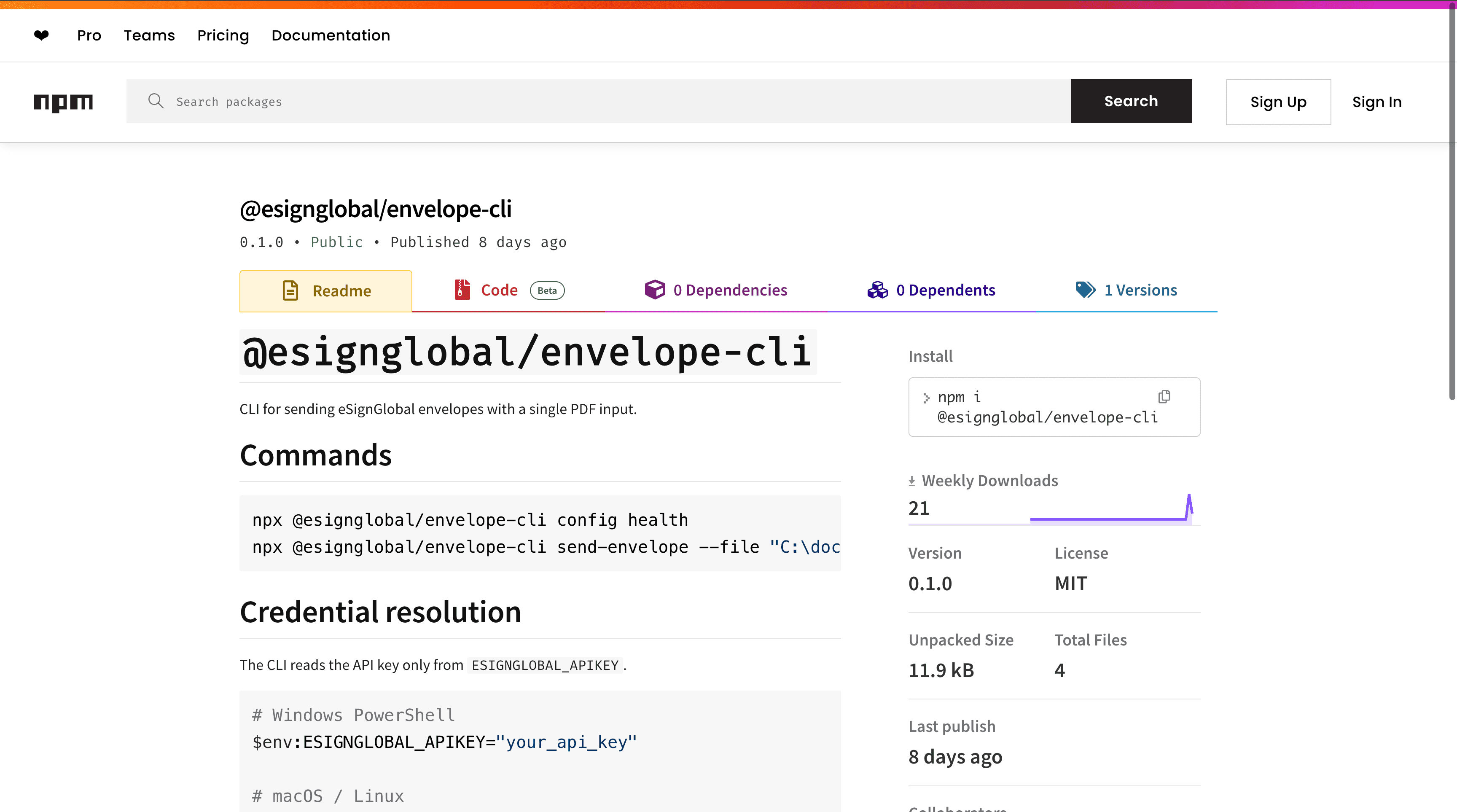
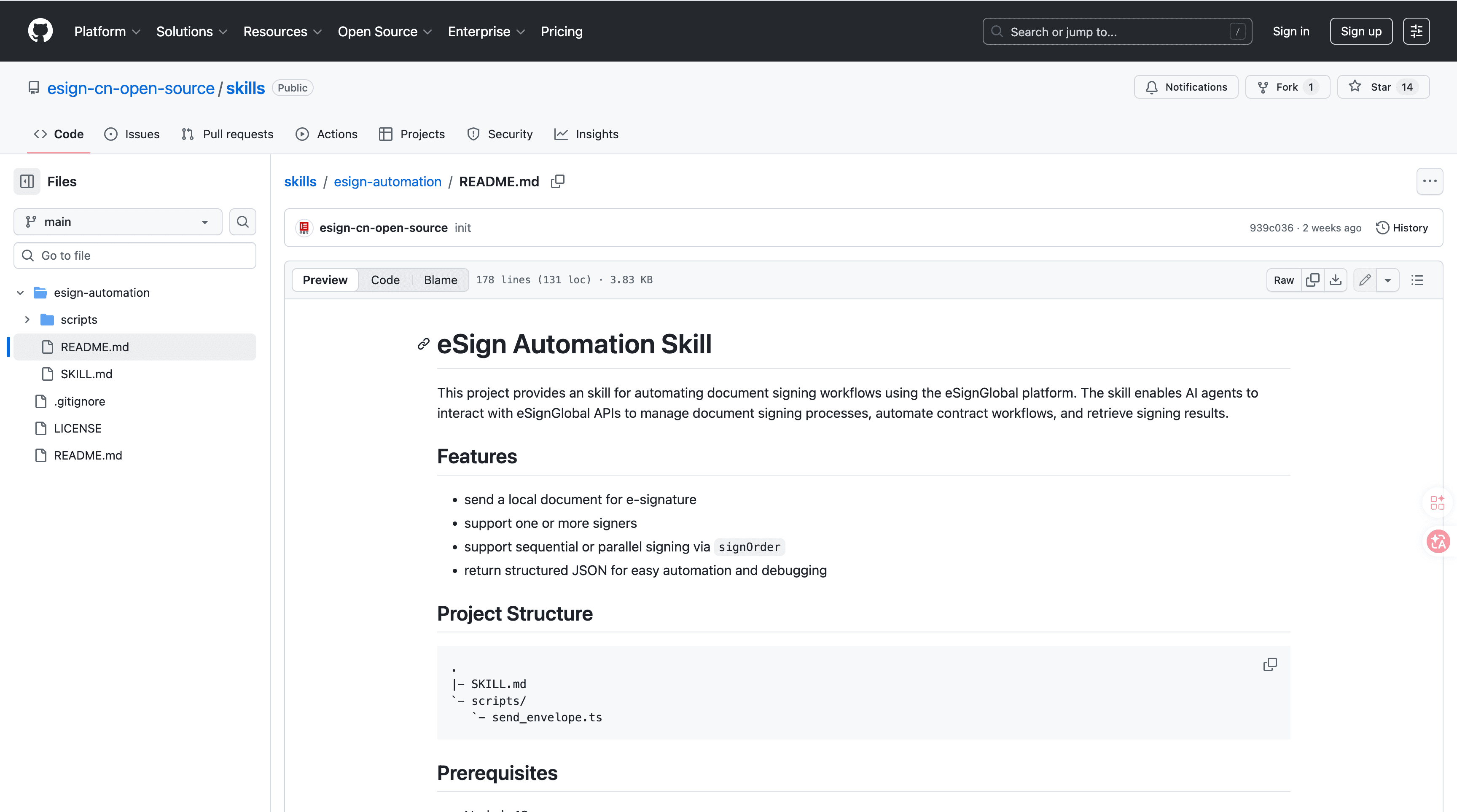
eSignGlobal's esign-automation
eSignGlobal's esign-automation provides AI-native electronic signing capabilities integrated with OpenClaw agents, enabling natural language interactions for initiating and managing signing processes. Users can describe signing needs in plain text, such as "Route this contract for sequential approval from legal and finance," and the system interprets it to generate the appropriate workflow.
Technically, it is built on Node.js for efficient server-side processing and uses structured JSON for data handling, supporting flexible signing orders including single signer, sequential (one after another), or parallel (simultaneous) configurations. This allows adaptation to various workflow complexities without custom coding.
Integration is straightforward: install the package from ClawHub or GitHub using npm, then configure your API key in the environment variables. Initiate signing via natural language commands through the OpenClaw interface, where the AI processes the request and generates a signing link. Results, including signed documents and audit logs, can be retrieved programmatically or via API callbacks for seamless incorporation into broader automation pipelines.
For security and compliance, esign-automation adheres to MIIT and CNCERT recommendations in China, with support for over 100 countries worldwide. It integrates with Hong Kong's IAM Smart for identity verification, Singapore's Singpass for digital authentication, and offers G2B hardware and API docking for government-to-business transactions. A free tier is available, providing basic signing volume limits suitable for small teams or testing, ensuring accessibility without upfront costs. This tool fits well into multi-step approval routing by embedding secure e-signing as a verifiable step in workflows, reducing paper-based delays and enhancing audit trails. (178 words)
Asana - Task Approval Automation
Asana automates approval routing for tasks and projects by setting rules that assign reviewers and escalate if deadlines pass, useful for coordinating cross-departmental approvals in project management.
Google Workspace - Scripted Workflows
Google Apps Script in Workspace automates multi-step approvals within Docs and Sheets, such as routing feedback requests via email triggers, which streamlines collaborative document reviews.
Airtable - Database-Driven Approvals
Airtable uses linked records and automations to route approvals based on database fields, like status changes triggering notifications, effective for managing inventory or HR requests in a scalable way.
Slack - Bot-Powered Routing
Slack bots, such as those built with Workflow Builder, automate approval requests by posting interactive messages to channels and updating statuses upon responses, facilitating quick team-based decisions in communication-heavy environments.
FAQs
