'%3e%3cpath%20fill-rule='evenodd'%20clip-rule='evenodd'%20d='M6.99935%2012.8327C10.221%2012.8327%2012.8327%2010.221%2012.8327%206.99935C12.8327%203.77769%2010.221%201.16602%206.99935%201.16602C3.77769%201.16602%201.16602%203.77769%201.16602%206.99935C1.16602%2010.221%203.77769%2012.8327%206.99935%2012.8327Z'%20stroke='%23666666'%20stroke-linecap='round'%20stroke-linejoin='round'/%3e%3cpath%20d='M1.16602%207H12.8327'%20stroke='%23666666'%20stroke-linecap='round'%20stroke-linejoin='round'/%3e%3cpath%20fill-rule='evenodd'%20clip-rule='evenodd'%20d='M6.99935%2012.8327C8.28802%2012.8327%209.33268%2010.221%209.33268%206.99935C9.33268%203.77769%208.28802%201.16602%206.99935%201.16602C5.71068%201.16602%204.66602%203.77769%204.66602%206.99935C4.66602%2010.221%205.71068%2012.8327%206.99935%2012.8327Z'%20stroke='%23666666'%20stroke-linecap='round'%20stroke-linejoin='round'/%3e%3cpath%20d='M2.875%202.95898C3.93063%204.01461%205.38896%204.66754%206.99978%204.66754C8.61062%204.66754%2010.069%204.01461%2011.1246%202.95898'%20stroke='%23666666'%20stroke-linecap='round'%20stroke-linejoin='round'/%3e%3cpath%20d='M11.1246%2011.0425C10.069%209.98691%208.61062%209.33398%206.99978%209.33398C5.38896%209.33398%203.93063%209.98691%202.875%2011.0425'%20stroke='%23666666'%20stroke-linecap='round'%20stroke-linejoin='round'/%3e%3c/g%3e%3cdefs%3e%3cclipPath%20id='clip0_1267_9109'%3e%3crect%20width='14'%20height='14'%20fill='white'/%3e%3c/clipPath%3e%3c/defs%3e%3c/svg%3e)


 Service Center
Digital Signature
Before using the features in this user manual, you must first understand the limitations of digital signatures corresponding to different versions (covering sub-items such as elD Easy, VNPT, eID Smart, etc.):
- Trial Version: Does not support digital signature functionality
- Basic Version: Does not support digital signature functionality
- Professional Version: Supports digital signature functionality
To meet higher requirements for the security and legal validity of electronic signatures across different countries, industries, and compliance scenarios, eSignGlobal has fully integrated with trusted service providers (TSPs) from multiple countries/regions, supporting various high-level digital signature capabilities, including:
-
Qualified Electronic Signature (QES)
-
Advanced Electronic Signature (AES)
By deeply integrating with internationally authoritative TSPs, eSignGlobal is committed to providing global customers with a higher-level, compliant, and trustworthy signing experience.
Prerequisites: You need to purchase the TSP’s digital signature service and activate the integration account credentials (Client ID and Secret).
Fee Deduction Rules: When the sender sends an envelope and the signer completes the signature, the corresponding digital signature fee will be deducted from the TSP account configured in the sender’s workspace.
Sender
-
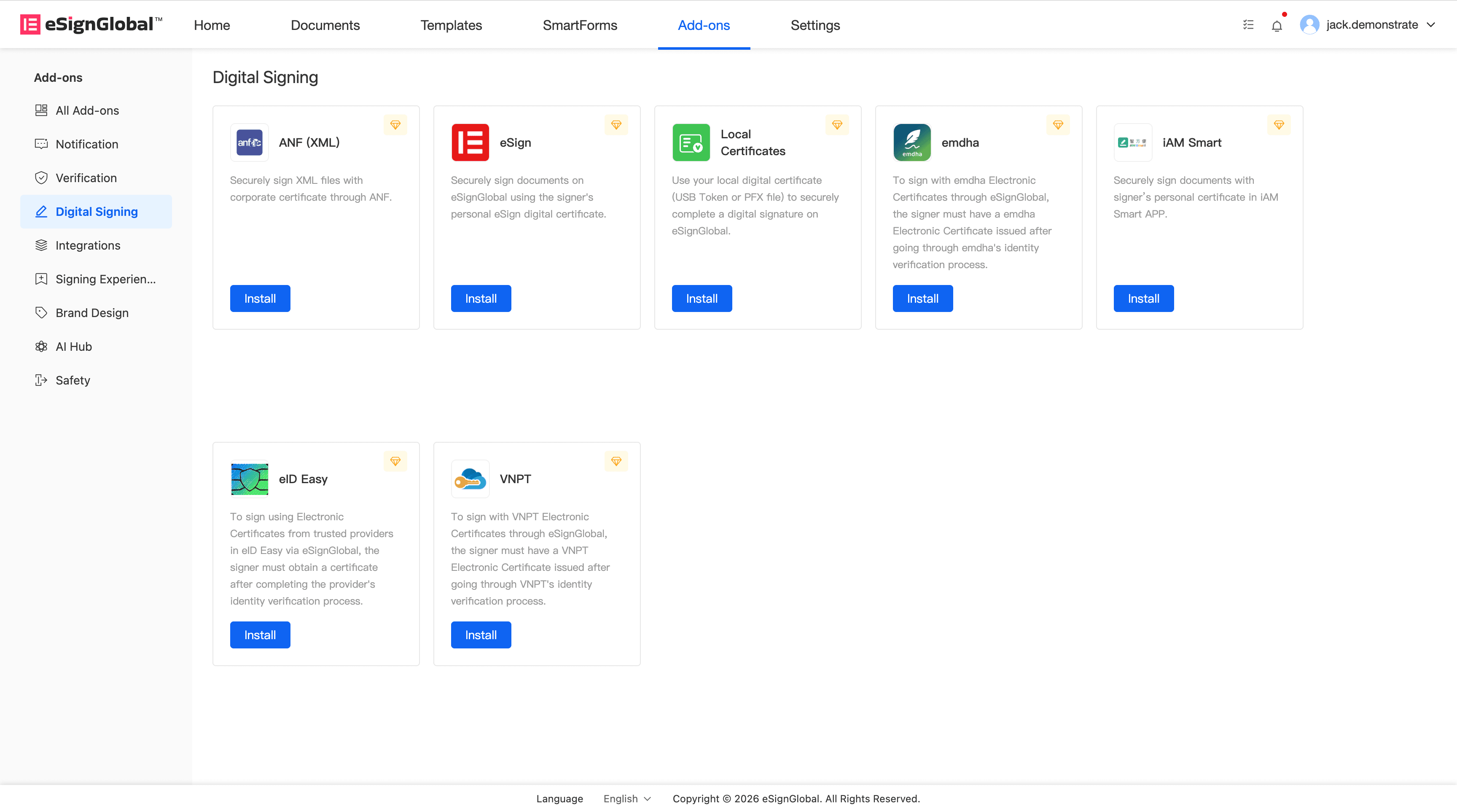
Install the Digital Signature Plugin:
The administrator installs the digital signature plugin and sets up the integration account credentials provided by the TSP (Client ID and Secret).
- Send Envelope:
The sender can enable digital signatures when sending an envelope.

Signer
Prerequisites: Please ensure that you have registered with the TSP and possess a personal digital certificate.
-
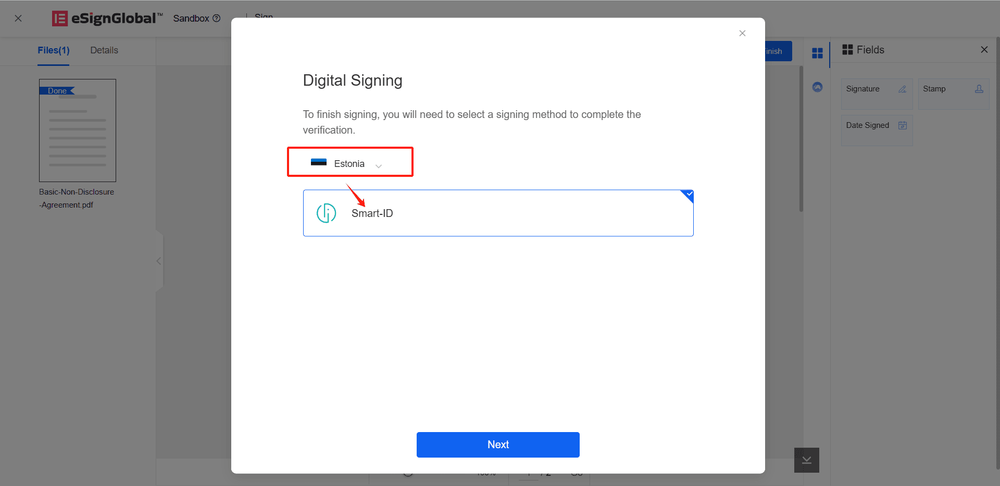
Sign Using TSP:
The signer can select their country/region and choose a TSP supported in that region for signing.
Note:
Once digital signatures are enabled for an envelope, all signers must use digital signatures.
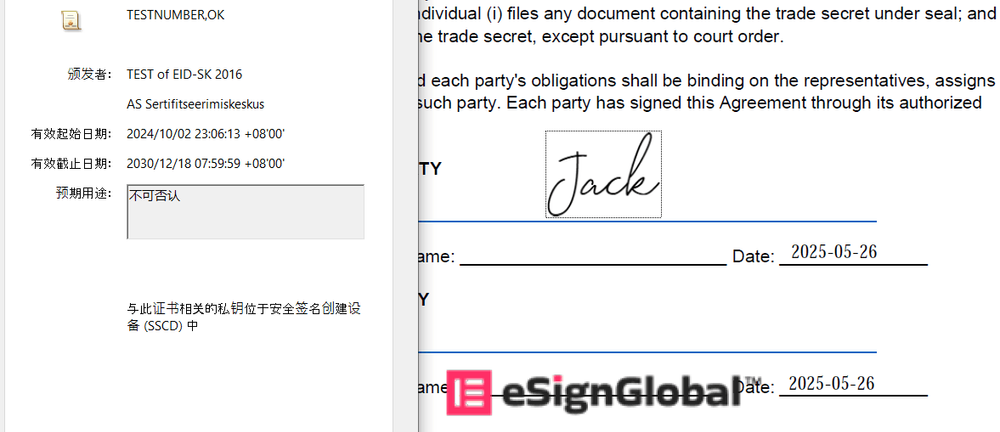
- Digital Signature Verification: