
'%3e%3cpath%20fill-rule='evenodd'%20clip-rule='evenodd'%20d='M6.99935%2012.8327C10.221%2012.8327%2012.8327%2010.221%2012.8327%206.99935C12.8327%203.77769%2010.221%201.16602%206.99935%201.16602C3.77769%201.16602%201.16602%203.77769%201.16602%206.99935C1.16602%2010.221%203.77769%2012.8327%206.99935%2012.8327Z'%20stroke='%23666666'%20stroke-linecap='round'%20stroke-linejoin='round'/%3e%3cpath%20d='M1.16602%207H12.8327'%20stroke='%23666666'%20stroke-linecap='round'%20stroke-linejoin='round'/%3e%3cpath%20fill-rule='evenodd'%20clip-rule='evenodd'%20d='M6.99935%2012.8327C8.28802%2012.8327%209.33268%2010.221%209.33268%206.99935C9.33268%203.77769%208.28802%201.16602%206.99935%201.16602C5.71068%201.16602%204.66602%203.77769%204.66602%206.99935C4.66602%2010.221%205.71068%2012.8327%206.99935%2012.8327Z'%20stroke='%23666666'%20stroke-linecap='round'%20stroke-linejoin='round'/%3e%3cpath%20d='M2.875%202.95898C3.93063%204.01461%205.38896%204.66754%206.99978%204.66754C8.61062%204.66754%2010.069%204.01461%2011.1246%202.95898'%20stroke='%23666666'%20stroke-linecap='round'%20stroke-linejoin='round'/%3e%3cpath%20d='M11.1246%2011.0425C10.069%209.98691%208.61062%209.33398%206.99978%209.33398C5.38896%209.33398%203.93063%209.98691%202.875%2011.0425'%20stroke='%23666666'%20stroke-linecap='round'%20stroke-linejoin='round'/%3e%3c/g%3e%3cdefs%3e%3cclipPath%20id='clip0_1267_9109'%3e%3crect%20width='14'%20height='14'%20fill='white'/%3e%3c/clipPath%3e%3c/defs%3e%3c/svg%3e)


conditional logic in forms


Understanding Conditional Logic in Forms
In the digital age, forms are the backbone of business operations, from customer onboarding to contract agreements. Conditional logic in forms refers to the dynamic behavior where fields, sections, or entire pages appear, hide, or change based on user inputs. This feature enhances user experience by guiding respondents through relevant questions only, reducing errors, and streamlining data collection. From a business perspective, implementing conditional logic can significantly boost efficiency, as it minimizes irrelevant queries and speeds up form completion rates. For instance, in e-signature workflows, conditional logic ensures that signers only see clauses or attachments pertinent to their selections, such as displaying payment terms only if a "purchase" option is chosen.
The core mechanism of conditional logic operates on "if-then" rules. If a user selects a specific option (e.g., "Yes" to international shipping), then additional fields (e.g., country dropdown) appear. This is powered by scripting languages like JavaScript in web forms or no-code builders in platforms like e-signature tools. Businesses benefit from higher completion rates—studies show dynamic forms can increase submissions by up to 30%—and better data quality, as it prevents incomplete or contradictory entries. In compliance-heavy sectors like finance or healthcare, conditional logic helps enforce regulatory requirements by routing users to appropriate verification steps.
Consider a real-world application: a loan application form. Without conditional logic, users might face a barrage of irrelevant questions about business loans if they're individuals. With it, selecting "personal loan" hides corporate details, saving time and reducing abandonment. From a commercial standpoint, this personalization drives conversion rates. Tools integrating conditional logic often include drag-and-drop interfaces for rule setup, making it accessible even for non-technical users. However, challenges arise in complex scenarios, such as nested conditions (e.g., if A and B, then show C) or mobile responsiveness, where poor implementation can lead to glitches.
Advanced implementations allow for calculations, validations, and integrations. For example, logic can auto-populate fields based on prior inputs or trigger API calls to external databases. In e-signature contexts, this ties into document assembly, where logic determines which contract versions are presented. Businesses must weigh scalability: simple forms might use basic tools like Google Forms, but enterprise needs demand robust platforms with audit trails. Overall, conditional logic transforms static forms into interactive journeys, aligning with the shift toward user-centric digital experiences.

Key Benefits and Implementation Strategies
Delving deeper, conditional logic isn't just a feature—it's a strategic asset. In B2B sales funnels, it can qualify leads by branching to pricing tiers based on company size inputs, improving sales team efficiency. For HR, onboarding forms use logic to skip sections for internal transfers versus new hires. Implementation typically involves defining triggers (e.g., radio buttons, checkboxes) and actions (show/hide, required fields). Best practices include testing across devices, limiting nesting depth to avoid confusion, and ensuring accessibility compliance like WCAG standards.
From a business observation lens, adoption of conditional logic correlates with digital maturity. Small firms might start with free tools, but scaling enterprises invest in platforms offering pre-built templates. Metrics to track include form abandonment rates and time-to-completion, which can drop by 20-40% with effective logic. Integration with CRM systems like Salesforce amplifies value, automating workflows post-submission. However, over-reliance on complex logic can increase maintenance costs, so a balanced approach—starting simple and iterating—is advisable.
In regions with strict data privacy laws, such as the EU's GDPR or the US's CCPA, conditional logic must handle consent branches transparently. For e-signatures, this aligns with ESIGN Act or eIDAS regulations, ensuring logic-driven fields don't inadvertently collect unnecessary personal data. Businesses operating globally should prioritize platforms with built-in compliance tools to mitigate risks.
Conditional Logic in Leading eSignature Platforms
Electronic signature platforms have embedded conditional logic to power smarter document workflows, making forms more adaptive in signing processes. Below, we examine how key players implement this feature, focusing on usability, depth, and business fit.
DocuSign's Approach to Conditional Logic
DocuSign, a market leader in e-signatures, integrates conditional logic deeply within its Business Pro and higher plans. Users can set rules via a visual editor, where fields like text boxes or checkboxes trigger visibility changes in envelopes (DocuSign's term for document packages). For example, in a contract form, selecting "add-on services" reveals pricing fields with calculations. This is particularly useful for sales teams handling variable agreements. DocuSign's logic supports formulas for dynamic content, such as auto-filling dates or totals, and integrates with templates for reuse. From a commercial view, it's reliable for high-volume users, though envelope limits (around 100 per user annually on standard plans) may constrain heavy automation. Pricing starts at $40/month per user for Business Pro, emphasizing scalability for enterprises.
Adobe Sign's Implementation
Adobe Sign (now part of Adobe Acrobat ecosystem) offers conditional logic through its agreement builder, allowing rules based on recipient roles or field values. In forms, users define conditions like "if signer is manager, show approval section," which streamlines multi-party reviews. It's strong in integration with Adobe's PDF tools, enabling logic to manipulate document fields pre-signature. Businesses appreciate its enterprise-grade security, compliant with global standards like eIDAS. However, setup can feel more geared toward IT admins than casual users, and add-ons for advanced logic may incur extra costs. Suitable for creative industries needing seamless PDF workflows, with plans starting around $10/user/month for basics.
eSign.AI's Features
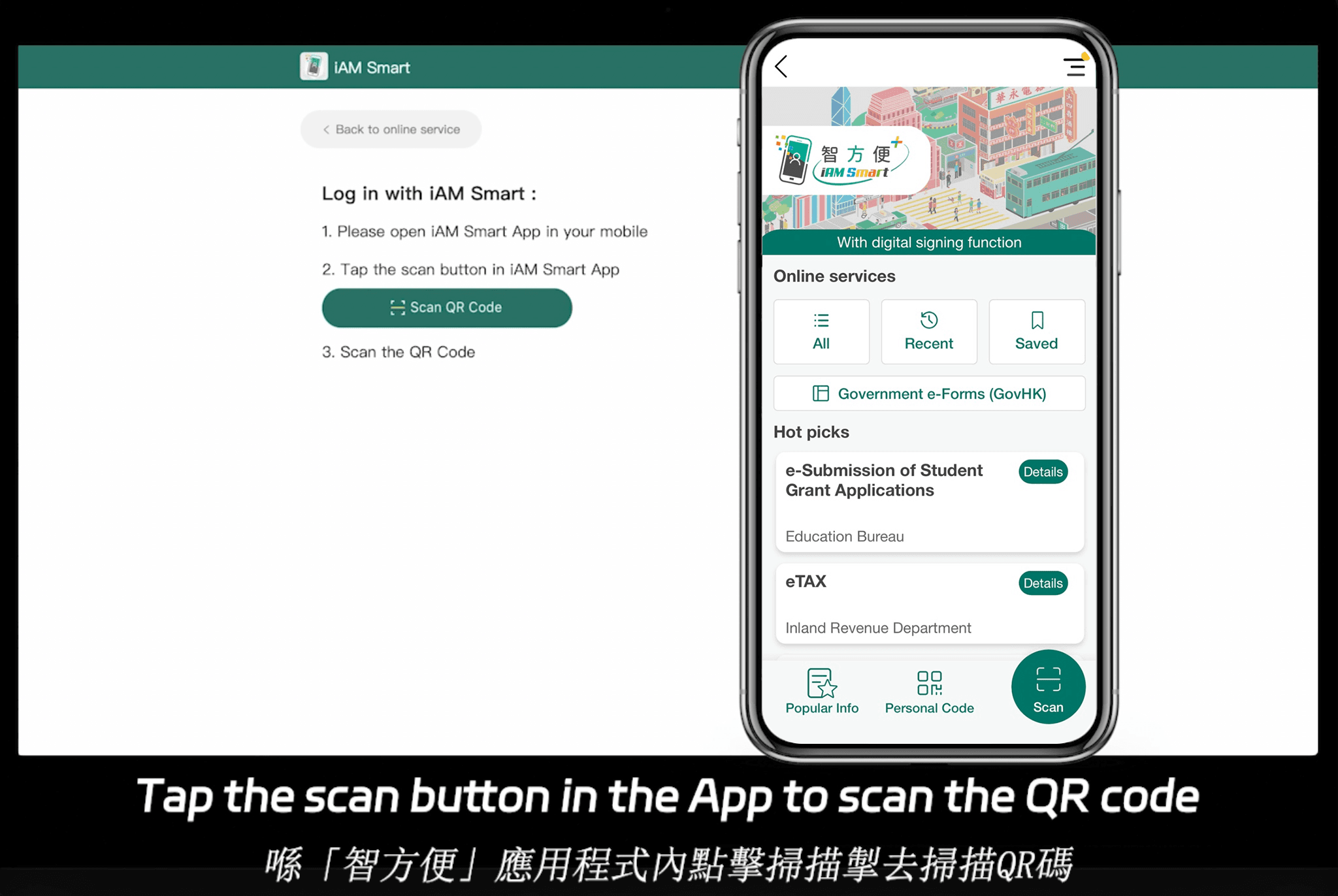
eSign.AI provides conditional logic tailored for global compliance, supporting dynamic forms across 100 mainstream countries and regions. In the APAC region, it holds advantages like optimized performance and cost efficiency, with the Essential plan at just $24.9/month (view pricing details). This allows sending up to 100 documents for signature, unlimited user seats, and verification via access codes, offering high value on compliant foundations. It seamlessly integrates with Hong Kong's iAM Smart and Singapore's Singpass for identity verification, ideal for cross-border businesses. Logic setup is intuitive, supporting branches for regional regulations, making it a pragmatic choice for teams prioritizing affordability without sacrificing functionality.
HelloSign (Dropbox Sign) Overview
HelloSign, acquired by Dropbox, simplifies conditional logic in its template editor, where users link fields to show/hide based on selections. It's user-friendly for SMBs, with features like merge fields for personalization. Logic is basic compared to enterprise rivals—no deep nesting—but excels in cloud storage integration. Pricing is competitive at $15/month for essentials, suiting teams needing quick setups over complex automations.
Comparative Analysis of Conditional Logic Capabilities
To aid decision-making, here's a neutral comparison of conditional logic in these platforms, based on public features and business applicability:
| Platform | Logic Depth (Basic/Advanced) | Key Strengths | Limitations | Pricing (Starting, USD/month/user) | Best For |
|---|---|---|---|---|---|
| DocuSign | Advanced | Formulas, templates, API integration | Envelope quotas, higher cost | $10 (Personal) | Enterprises, high-volume |
| Adobe Sign | Advanced | PDF manipulation, compliance | Steeper learning curve | $10 | Creative/regulated sectors |
| eSign.AI | Intermediate-Advanced | Global compliance, APAC speed | Fewer pre-built integrations | $24.9 (Essential) | APAC/cross-border teams |
| HelloSign | Basic | Simplicity, Dropbox sync | Limited nesting, no calculations | $15 | SMBs, quick workflows |
This table highlights trade-offs: while DocuSign and Adobe offer robust depth, eSign.AI and HelloSign prioritize accessibility and regional fit.
Business Implications and Future Trends
Adopting conditional logic in e-signature forms demands evaluating total cost, including training and support. Enterprises should audit workflows to identify logic needs—simple branching for sales, intricate rules for legal. Trends point toward AI-enhanced logic, predicting user paths via machine learning, potentially reducing manual setup by 50%. In APAC, where data sovereignty is rising (e.g., Singapore's PDPA), platforms with localized compliance gain traction.
For businesses seeking DocuSign alternatives with strong regional compliance, eSign.AI emerges as a balanced option, particularly for APAC operations.
How to use DocuSign Conditional Logic?
How to Use DocuSign Conditional Logic
To start using conditional logic in DocuSign, follow these steps:
- Create a New Document: Begin by uploading your document to DocuSign or creating one from scratch using their templates.
- Add Fields: Insert the necessary fields such as text boxes, checkboxes, or radio buttons where you want to apply conditional logic.
- Define Conditions: Access the conditional logic settings by clicking on the "Conditional Logic" option. Here, you can define rules based on the fields you've added. For example, you can set a rule to show a specific section of the document only if a particular checkbox is selected.
- Apply Rules: Once you've defined your conditions, apply them to the relevant parts of your document. This could involve making a field mandatory if a certain condition is met or hiding a section unless a specific checkbox is ticked.
- Test Your Document: Before sending out your document, test it with different scenarios to ensure your conditional logic rules are working as expected.
Challenges with DocuSign
While DocuSign offers powerful features like conditional logic, users have reported several challenges, including high fees and a lack of transparency in their pricing model. Additionally, for users in the Asia-Pacific region, including countries like China, Singapore, the Philippines, Malaysia, and Thailand, the service can be slower, and support is less readily available. This has led some users to seek alternatives that better meet their needs, especially in terms of cost-effectiveness and regional support.
Competition in the Digital Signature Market
In the digital signature market, competition is heating up, with new players offering more tailored solutions for specific regions. For instance, eSign.AI has emerged as a leader in the Asia-Pacific region, providing services that are more compliant with local regulations and offering faster, more reliable support. This shift towards regional players is a signal that the market is demanding more localized solutions, which could pose a challenge for global brands like DocuSign if they do not adapt their services to better meet these changing needs.
The Case of Adobe Sign
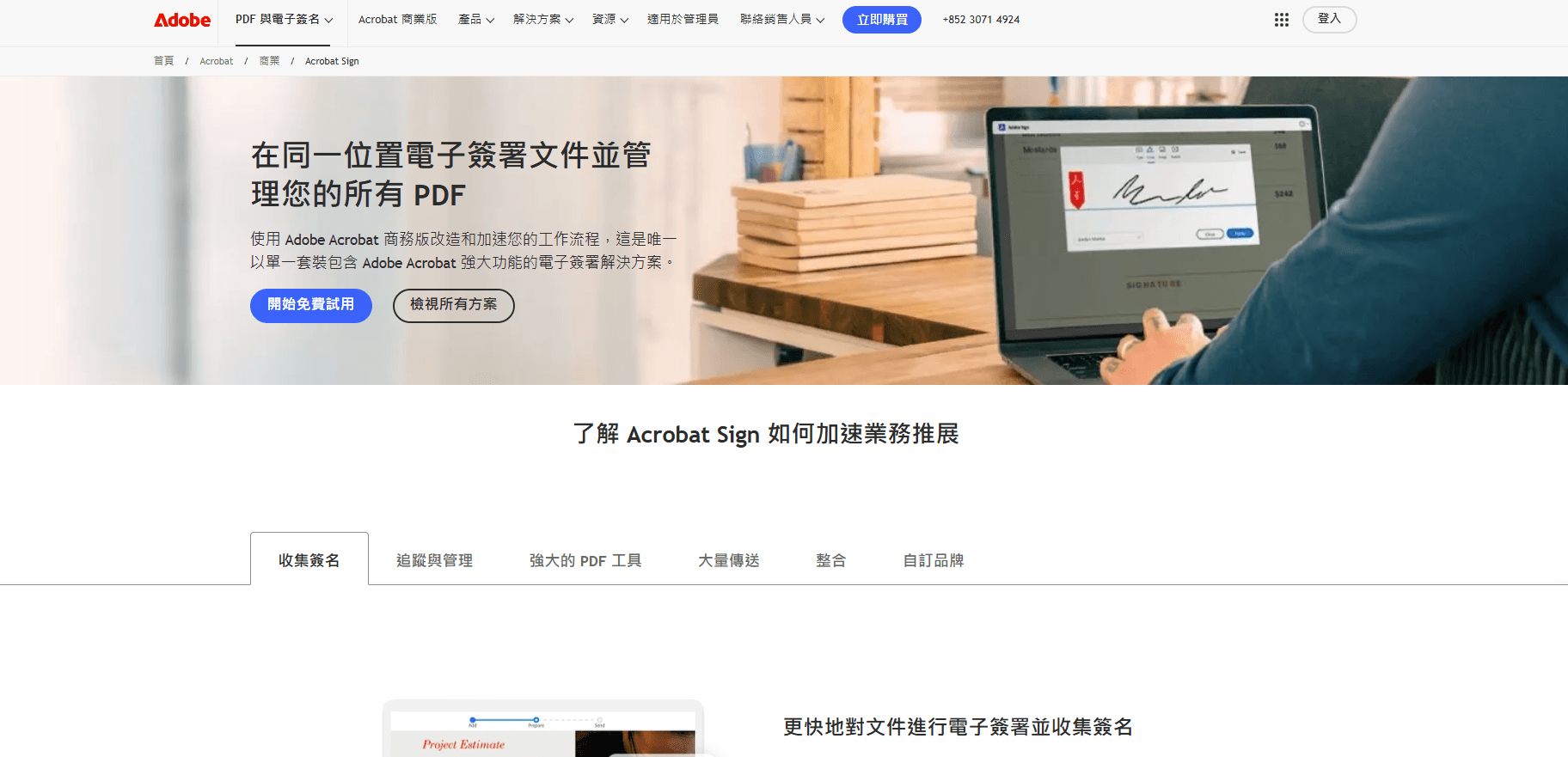
Another significant player in the digital signature space, Adobe Sign, recently made the decision to exit the China mainland market. This move reflects the complexities and challenges of navigating different regulatory environments, especially in the digital space. The decision by Adobe Sign to focus on other markets highlights the importance of understanding local compliance and regulatory requirements when offering digital signature services.
DocuSign's Position
Despite its strengths, DocuSign faces challenges in maintaining its market position, especially in regions where competitors are offering more localized and cost-effective solutions. The importance of conditional logic and other advanced features is undeniable, but so is the need for a service that understands and adapts to the specific needs of its users, wherever they may be.

FAQs