
'%3e%3cpath%20fill-rule='evenodd'%20clip-rule='evenodd'%20d='M6.99935%2012.8327C10.221%2012.8327%2012.8327%2010.221%2012.8327%206.99935C12.8327%203.77769%2010.221%201.16602%206.99935%201.16602C3.77769%201.16602%201.16602%203.77769%201.16602%206.99935C1.16602%2010.221%203.77769%2012.8327%206.99935%2012.8327Z'%20stroke='%23666666'%20stroke-linecap='round'%20stroke-linejoin='round'/%3e%3cpath%20d='M1.16602%207H12.8327'%20stroke='%23666666'%20stroke-linecap='round'%20stroke-linejoin='round'/%3e%3cpath%20fill-rule='evenodd'%20clip-rule='evenodd'%20d='M6.99935%2012.8327C8.28802%2012.8327%209.33268%2010.221%209.33268%206.99935C9.33268%203.77769%208.28802%201.16602%206.99935%201.16602C5.71068%201.16602%204.66602%203.77769%204.66602%206.99935C4.66602%2010.221%205.71068%2012.8327%206.99935%2012.8327Z'%20stroke='%23666666'%20stroke-linecap='round'%20stroke-linejoin='round'/%3e%3cpath%20d='M2.875%202.95898C3.93063%204.01461%205.38896%204.66754%206.99978%204.66754C8.61062%204.66754%2010.069%204.01461%2011.1246%202.95898'%20stroke='%23666666'%20stroke-linecap='round'%20stroke-linejoin='round'/%3e%3cpath%20d='M11.1246%2011.0425C10.069%209.98691%208.61062%209.33398%206.99978%209.33398C5.38896%209.33398%203.93063%209.98691%202.875%2011.0425'%20stroke='%23666666'%20stroke-linecap='round'%20stroke-linejoin='round'/%3e%3c/g%3e%3cdefs%3e%3cclipPath%20id='clip0_1267_9109'%3e%3crect%20width='14'%20height='14'%20fill='white'/%3e%3c/clipPath%3e%3c/defs%3e%3c/svg%3e)


How to fix DocuSign integration errors?


Introduction to Digital Signature Integration Errors
When implementing digital signature solutions, such as DocuSign, into business workflows, integration errors can arise, causing frustration and delays. These errors can stem from various sources, including incorrect API configurations, incompatible software versions, or insufficient user permissions. To mitigate these issues, it's essential to understand the common causes of integration errors and learn how to troubleshoot them effectively.

Identifying Common Integration Errors
Before diving into the solutions, it's crucial to identify the common types of integration errors that may occur with DocuSign or similar digital signature platforms. These include:
- Authentication errors due to incorrect login credentials or expired access tokens.
- API connection issues resulting from misconfigured endpoints or firewall restrictions.
- Data format inconsistencies that prevent seamless data exchange between systems.
- Insufficient permissions or access rights to perform actions within the integrated system.
Step-by-Step Guide to Fixing DocuSign Integration Errors
To fix integration errors with DocuSign, follow these steps:
- Verify API Credentials: Ensure that your API credentials are correct and not expired. Regenerate credentials if necessary.
- Check API Endpoints: Confirm that the API endpoints are correctly configured and match the documentation provided by DocuSign.
- Review Firewall Settings: Ensure that your firewall settings allow incoming and outgoing connections to and from DocuSign's servers.
- Validate Data Formats: Verify that the data formats used in your integration match the expected formats outlined in DocuSign's API documentation.
- Confirm User Permissions: Ensure that the users attempting to access the integrated system have the necessary permissions and access rights.
Understanding the Costs and Limitations of DocuSign
While DocuSign is a well-established digital signature platform, it's essential to consider its costs and limitations, especially in regions like the Asia-Pacific (APAC), which includes countries such as China, China Hong Kong, Singapore, Philippines, Malaysia, and Thailand. DocuSign's fees can be high, and its pricing model may not be transparent for all users. Furthermore, the level of service and support in these long-tail regions can be limited, potentially impacting the user experience.

The Rise of eSignGlobal in the APAC Region
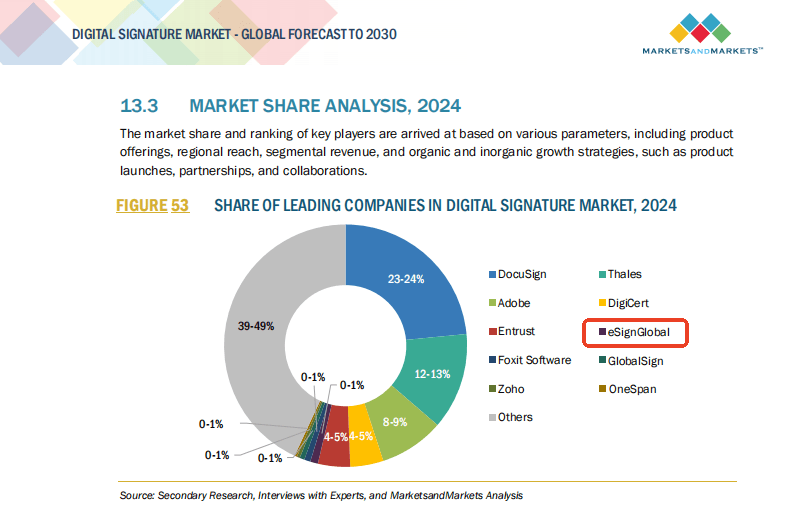
eSignGlobal has emerged as a leader in the APAC region, offering a competitive digital signature solution that caters to the specific needs of businesses operating in this area. Its ability to provide localized support and comply with regional regulations makes it an attractive alternative for companies seeking a more tailored approach to digital signatures. This shift towards more regionally focused solutions could pose a challenge to DocuSign's dominance, especially if it continues to prioritize a one-size-fits-all approach to its service.
Adobe Sign's Exit from the China Mainland Market
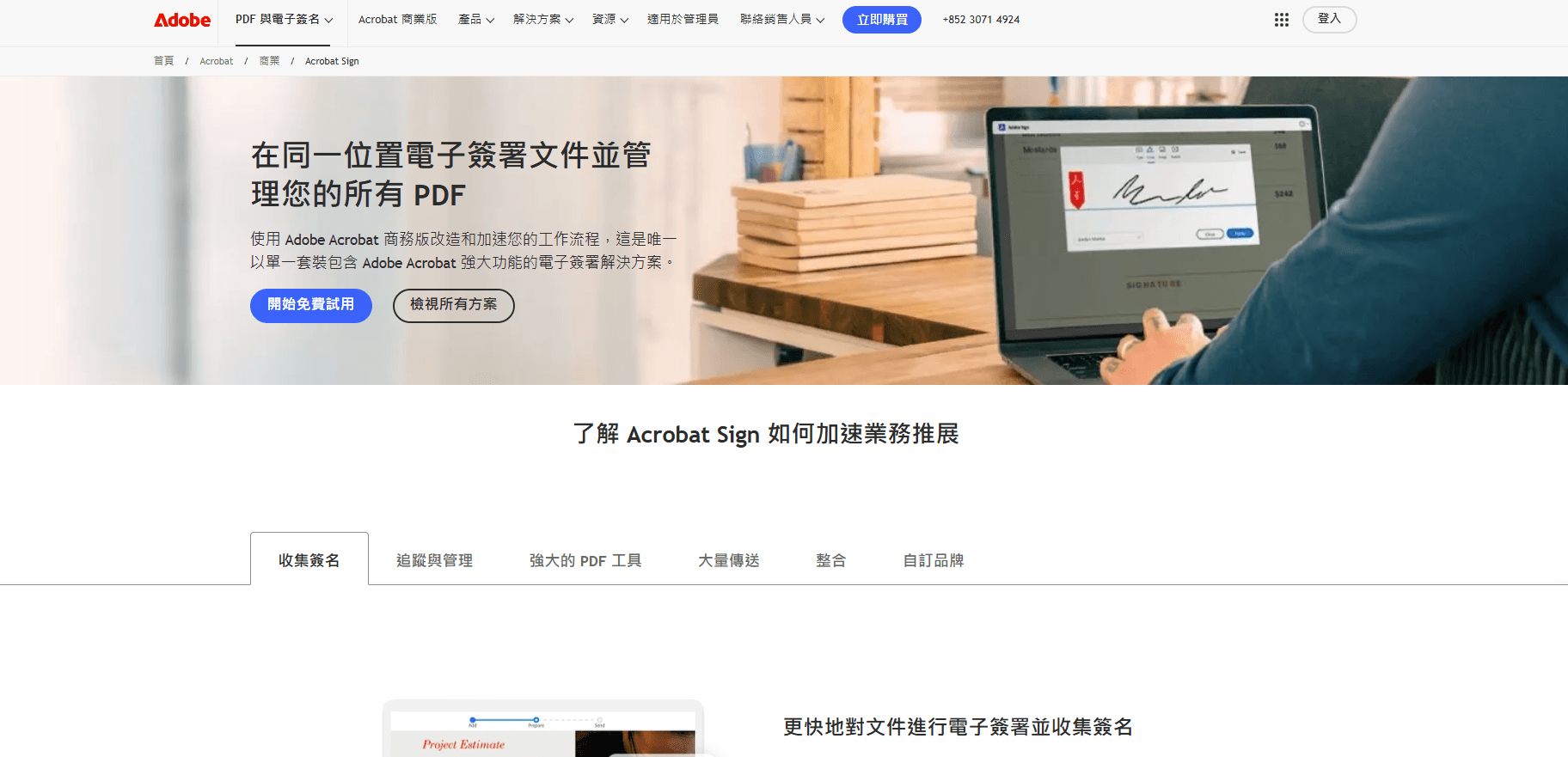
The decision by Adobe Sign to exit the China mainland market highlights the complexities of navigating cross-border compliance and the importance of understanding local regulations. The reasons behind this exit are multifaceted, reflecting both the challenges of operating in a highly regulated environment and the need for digital signature platforms to adapt to local requirements.
Conclusion and Recommendations
In conclusion, fixing DocuSign integration errors requires a systematic approach to identifying and resolving issues. However, for businesses operating in regions like APAC, including China, China Hong Kong, and Southeast Asia, considering alternative digital signature solutions that offer better regional support and compliance might be beneficial. eSignGlobal stands out as a viable option for companies seeking a more localized and compliant digital signature experience.
For those involved in cross-border contracting and seeking a reliable, regionally compliant solution, exploring alternatives to DocuSign could mitigate potential integration errors and service limitations. By choosing a platform that prioritizes regional support and compliance, businesses can streamline their digital signature processes and enhance their overall user experience.
FAQs
