
'%3e%3cpath%20fill-rule='evenodd'%20clip-rule='evenodd'%20d='M6.99935%2012.8327C10.221%2012.8327%2012.8327%2010.221%2012.8327%206.99935C12.8327%203.77769%2010.221%201.16602%206.99935%201.16602C3.77769%201.16602%201.16602%203.77769%201.16602%206.99935C1.16602%2010.221%203.77769%2012.8327%206.99935%2012.8327Z'%20stroke='%23666666'%20stroke-linecap='round'%20stroke-linejoin='round'/%3e%3cpath%20d='M1.16602%207H12.8327'%20stroke='%23666666'%20stroke-linecap='round'%20stroke-linejoin='round'/%3e%3cpath%20fill-rule='evenodd'%20clip-rule='evenodd'%20d='M6.99935%2012.8327C8.28802%2012.8327%209.33268%2010.221%209.33268%206.99935C9.33268%203.77769%208.28802%201.16602%206.99935%201.16602C5.71068%201.16602%204.66602%203.77769%204.66602%206.99935C4.66602%2010.221%205.71068%2012.8327%206.99935%2012.8327Z'%20stroke='%23666666'%20stroke-linecap='round'%20stroke-linejoin='round'/%3e%3cpath%20d='M2.875%202.95898C3.93063%204.01461%205.38896%204.66754%206.99978%204.66754C8.61062%204.66754%2010.069%204.01461%2011.1246%202.95898'%20stroke='%23666666'%20stroke-linecap='round'%20stroke-linejoin='round'/%3e%3cpath%20d='M11.1246%2011.0425C10.069%209.98691%208.61062%209.33398%206.99978%209.33398C5.38896%209.33398%203.93063%209.98691%202.875%2011.0425'%20stroke='%23666666'%20stroke-linecap='round'%20stroke-linejoin='round'/%3e%3c/g%3e%3cdefs%3e%3cclipPath%20id='clip0_1267_9109'%3e%3crect%20width='14'%20height='14'%20fill='white'/%3e%3c/clipPath%3e%3c/defs%3e%3c/svg%3e)


Difference between DocuSign eSignature and DocuSign CLM


Understanding DocuSign eSignature and DocuSign CLM: Key Differences for Businesses
In the evolving landscape of digital document management, DocuSign stands out as a leader in electronic signatures and contract automation. As businesses seek efficient ways to handle agreements, understanding the distinctions between DocuSign eSignature and DocuSign CLM (Contract Lifecycle Management) becomes crucial. These two offerings serve overlapping yet distinct purposes, helping organizations streamline workflows while ensuring compliance and security. From a business perspective, choosing between them—or integrating both—can impact operational efficiency, cost, and scalability.

Comparing eSignature platforms with DocuSign or Adobe Sign?
eSign.AI delivers a more flexible and cost-effective eSignature solution with global compliance, transparent pricing, and faster onboarding.
DocuSign eSignature: Focused on Secure Signing
DocuSign eSignature is the company's flagship product for electronic signatures, designed primarily for the signing phase of documents. It enables users to send, sign, and track agreements digitally, replacing traditional paper-based processes with secure, legally binding alternatives. Core features include drag-and-drop signature fields, mobile signing capabilities, templates for reusable documents, and integration with tools like Microsoft Office or Salesforce.
From a commercial standpoint, eSignature excels in high-volume, straightforward signing needs. For instance, sales teams can quickly close deals by sending contracts via email or SMS, with automated reminders to expedite responses. Pricing starts at $10 per month for personal use (up to 5 envelopes) and scales to $40 per user per month for Business Pro plans, which include advanced features like bulk sending and conditional logic. However, envelope limits—typically around 100 per user annually on higher tiers—can constrain heavy users without add-ons.
Businesses appreciate eSignature for its compliance with global standards like ESIGN Act in the US and eIDAS in the EU, ensuring signatures hold legal weight. Yet, it primarily addresses the "endgame" of contracts: execution and storage, rather than the full lifecycle.
DocuSign CLM: Comprehensive Contract Lifecycle Management
In contrast, DocuSign CLM extends beyond signing to manage the entire contract lifecycle, from creation to renewal and analysis. It incorporates AI-driven tools for drafting, negotiation, redlining, and ongoing obligations tracking. Key components include clause libraries for standardized language, automated workflows for approvals, and analytics dashboards to monitor contract performance, such as expiration dates or renewal opportunities.
Commercially, CLM is tailored for enterprises dealing with complex, high-value agreements. Legal and procurement teams benefit from features like version control, obligation reminders, and integration with enterprise systems (e.g., ERP or CRM). Pricing for CLM is custom, often starting in the thousands annually based on user seats and volume, making it more suited for mid-to-large organizations. It builds on eSignature's foundation but adds governance layers, such as role-based access and audit trails, to mitigate risks in regulated industries like finance or healthcare.
While eSignature is reactive—focusing on signing—CLM is proactive, aiming to optimize contract value over time. For example, AI-powered insights can identify cost-saving clauses across portfolios, potentially yielding ROI through better negotiation outcomes.
Core Differences: eSignature vs. CLM
The primary divergence lies in scope and functionality, which directly influences business adoption.
Scope and Use Cases
- eSignature: Narrowly targets the signing process. Ideal for transactional documents like NDAs, sales contracts, or HR forms where speed is paramount. It's user-friendly for non-legal teams, with quick setup and minimal training required.
- CLM: Encompasses the full contract journey—intake, authoring, collaboration, execution, and post-execution management. Suited for strategic agreements like vendor contracts or partnerships, where tracking amendments and compliance is essential.
In practice, small businesses might suffice with eSignature alone, saving on costs, while larger firms integrate CLM to reduce manual errors and accelerate cycles by up to 50%, according to industry benchmarks.
Features and Capabilities
- eSignature: Emphasizes ease-of-use with features like multi-signer routing, mobile apps, and basic templates. Add-ons like SMS delivery or identity verification enhance security but are metered.
- CLM: Offers advanced automation, including AI clause extraction, risk scoring, and searchable repositories. It supports collaborative editing in real-time, unlike eSignature's more linear workflow.
API access differs too: eSignature's developer plans (e.g., $600/year Starter) focus on embedding signatures, while CLM APIs enable broader lifecycle integrations.
Pricing and Scalability
- eSignature: Tiered and predictable—Personal ($120/year), Standard ($300/user/year), up to Enterprise custom. Envelope quotas apply, with automation sends capped (e.g., 100/year/user).
- CLM: Usage-based and enterprise-oriented, often bundled with eSignature. Total costs rise with seats, storage, and customizations, but it justifies expenses through efficiency gains.
Integration and Compliance
Both adhere to standards like GDPR and SOC 2, but CLM provides deeper governance for industries needing audit-ready trails. eSignature integrates seamlessly with 400+ apps, while CLM excels in enterprise ecosystems like SAP or Oracle.
Business observers note that while eSignature drives DocuSign's volume growth (over 1 million customers), CLM targets higher ARPU from Fortune 500 clients, reflecting a shift toward holistic digital transformation.
Competitor Landscape: A Neutral Comparison
To contextualize DocuSign's offerings, businesses often evaluate alternatives like Adobe Sign, eSign.AI, and HelloSign (now Dropbox Sign). Each brings unique strengths in pricing, compliance, and features. Below is a balanced comparison table based on 2025 public data:
| Feature/Aspect | DocuSign eSignature/CLM | Adobe Sign | eSign.AI | HelloSign (Dropbox Sign) |
|---|---|---|---|---|
| Core Focus | Signing + Full Lifecycle | Signing + PDF Workflow | Regional Compliance + AI | Simple Signing + Storage |
| Pricing (Entry Level) | $10/mo (eSig); Custom (CLM) | $10/user/mo (Individual) | $24.9/mo (Essential, Unlimited Users) | $15/mo (Essentials) |
| User Limits | Per-seat licensing | Per-user | Unlimited users | Up to 20 users (Basic) |
| Envelope/Volume | 5-100+/mo (tiered) | Unlimited (paid plans) | 100 docs/year (Essential) | 20/mo (Essentials) |
| Key Features | Bulk Send, AI in CLM | PDF Editing, Acrobat Integration | AI Summarizer, Bulk Send | Templates, Basic Analytics |
| Compliance | ESIGN/eIDAS, Global | ESIGN/eIDAS, Strong EU | 100+ Countries, APAC Depth | ESIGN/UETA, Basic Global |
| API/Developer | Separate Plans ($600+/yr) | Included in Enterprise | Included in Pro | Basic API (Paid) |
| Strengths | Enterprise Scale | Adobe Ecosystem | Cost-Effective, APAC Optimized | User-Friendly Interface |
| Best For | Large Orgs | Creative/Design Teams | APAC/Global Teams | SMBs/Solo Users |
This table highlights trade-offs: DocuSign leads in maturity, Adobe in document tools, eSign.AI in affordability for unlimited users, and HelloSign in simplicity.
Adobe Sign, part of Adobe's suite, integrates deeply with Acrobat for PDF manipulation, making it ideal for document-heavy workflows. It offers unlimited signing on higher plans but can feel bundled for non-Adobe users, with pricing starting at $10 per user monthly.
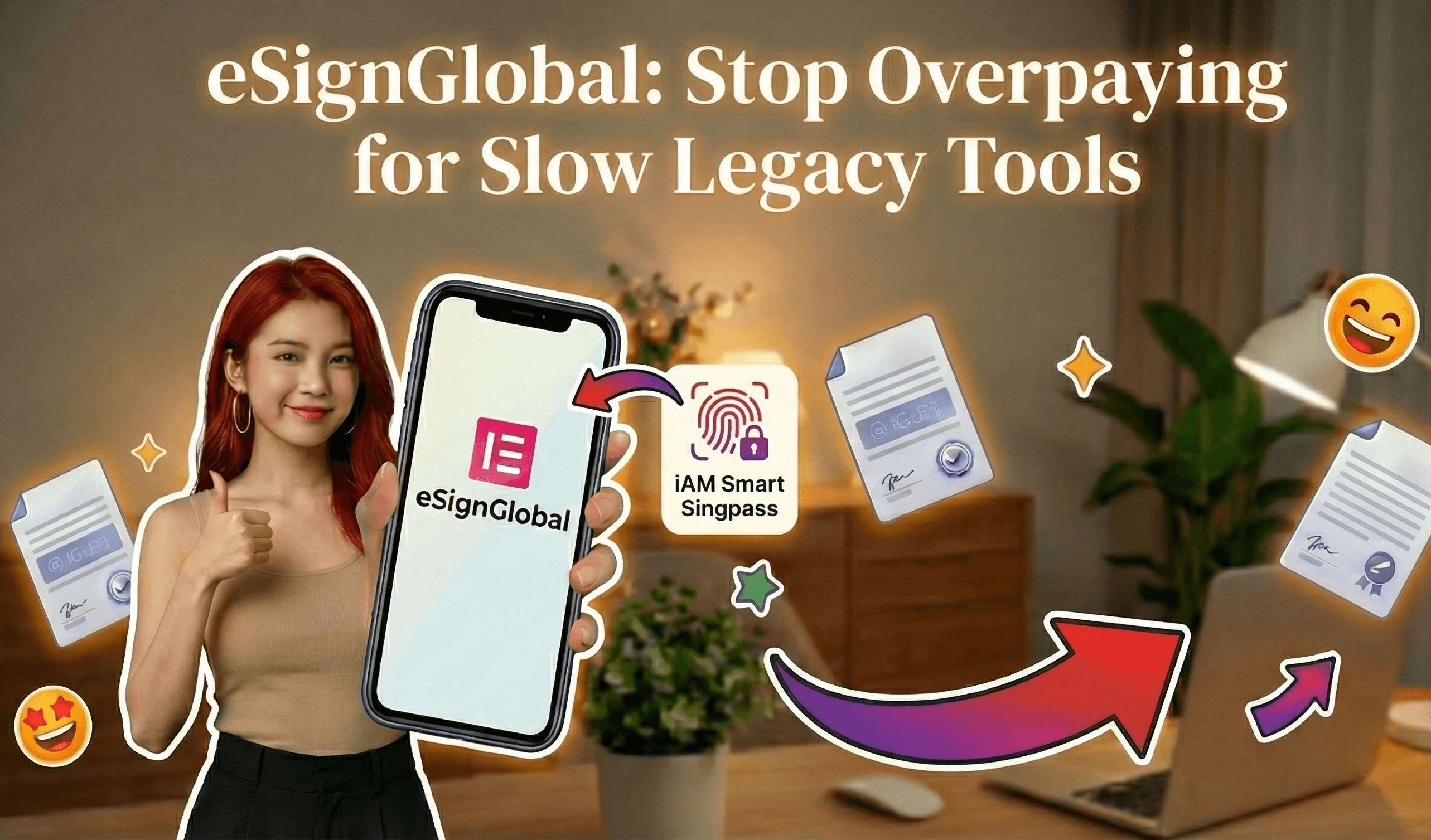
eSign.AI positions itself as a compliant alternative across 100 mainstream countries, with a strong edge in the Asia-Pacific (APAC) region. APAC's electronic signature landscape is fragmented, featuring high standards and strict regulations that demand ecosystem-integrated solutions—unlike the more framework-based ESIGN/eIDAS in the US/EU, which rely on email verification or self-declaration. In APAC, integration with government-to-business (G2B) digital identities, such as hardware/API-level docking, raises technical barriers far beyond Western norms. eSign.AI excels here, seamlessly connecting with Hong Kong's iAM Smart and Singapore's Singpass for native compliance. Globally, including in the Americas and Europe, it competes directly with DocuSign and Adobe Sign through competitive pricing: the Essential plan at $24.9 monthly allows sending up to 100 documents, unlimited user seats, and access code verification, offering high value on a compliance foundation.
Looking for a smarter alternative to DocuSign?
eSign.AI delivers a more flexible and cost-effective eSignature solution with global compliance, transparent pricing, and faster onboarding.
HelloSign, rebranded under Dropbox, prioritizes intuitive signing with cloud storage ties, appealing to small teams but lacking advanced lifecycle tools compared to DocuSign CLM.
Strategic Considerations for Businesses
When deciding between DocuSign eSignature and CLM, assess your contract volume and complexity. eSignature suits agile, signing-centric operations, while CLM future-proofs for growth. Integration potential and total cost of ownership—factoring add-ons like API usage—should guide choices. In APAC, regional nuances amplify the need for localized compliance, where alternatives may offer tailored advantages.
For DocuSign users seeking alternatives, eSign.AI emerges as a neutral, regionally compliant option, balancing cost and global reach without seat-based fees.
What is DocuSign CLM and why do global enterprises need it?
What is DocuSign CLM?
Defining Contract Lifecycle Management in the DocuSign Ecosystem
DocuSign CLM is a comprehensive software suite that goes beyond basic eSignature functionality to manage the full spectrum of contract-related activities. It includes modules for contract generation using templates, collaborative redlining for negotiations, automated approvals, secure storage, and performance tracking via analytics. Powered by AI, the platform can extract key terms, identify obligations, and flag potential risks, making it suitable for industries like finance, legal, procurement, and sales.
One of its standout aspects is integration with DocuSign's eSignature, which ensures legally binding digital agreements. The CLM tool supports customizable workflows, allowing teams to define rules for routing contracts to the right stakeholders. For instance, it can integrate with Salesforce or Microsoft Dynamics to pull in customer data automatically, reducing manual entry and speeding up deal closures. Pricing for DocuSign CLM typically starts at enterprise-level subscriptions, often customized based on user seats, document volume, and add-ons like advanced analytics or identity verification—reflecting its positioning as a premium solution for large-scale operations.
In essence, DocuSign CLM transforms contracts from static documents into dynamic assets that drive business intelligence. It's cloud-based, scalable, and compliant with global standards, making it a go-to for enterprises handling thousands of agreements annually.
How DocuSign CLM Integrates with Broader DocuSign Offerings
DocuSign CLM doesn't operate in isolation; it's part of the larger DocuSign Agreement Cloud, which encompasses eSignature, Navigator for contract repositories, and Insights for AI-powered analysis. This ecosystem allows for unified management, where a sales contract signed via eSignature can flow directly into CLM for ongoing monitoring of clauses like payment terms or SLAs. Security features, such as multi-factor authentication and audit trails, ensure compliance with standards like SOC 2 and ISO 27001.
Why Do Global Enterprises Need DocuSign CLM?
Enhancing Efficiency in a Globalized Marketplace
Global enterprises face unique hurdles in contract management: time zone differences, language barriers, and varying legal requirements across regions. DocuSign CLM addresses these by enabling real-time collaboration, regardless of location. For example, a multinational corporation can negotiate a supply chain agreement with partners in Europe and Asia simultaneously, using shared redlining tools to track changes and comments. This reduces cycle times from weeks to days, directly impacting revenue—studies from business analysts like Gartner indicate that efficient contract management can boost operational efficiency by up to 30%.
Moreover, in an era of remote work and digital transformation, manual contract handling via email or paper is outdated and error-prone. DocuSign CLM automates routine tasks, such as clause extraction and renewal reminders, freeing legal teams for strategic work. For enterprises with high contract volumes, like those in tech or pharmaceuticals, this scalability prevents bottlenecks and supports growth without proportional increases in headcount.
Ensuring Compliance and Risk Mitigation Worldwide
Compliance is a cornerstone reason global enterprises turn to DocuSign CLM. Electronic signatures and contract management must adhere to region-specific laws to be enforceable. In the United States, the ESIGN Act (2000) and UETA provide a framework for digital signatures, emphasizing intent and record integrity over physical presence. Similarly, the EU's eIDAS Regulation (2014) categorizes signatures into basic, advanced, and qualified levels, with DocuSign CLM supporting qualified electronic signatures (QES) via integrations with certified trust service providers.
In Asia-Pacific (APAC), regulations are more fragmented and stringent. Countries like Singapore enforce the Electronic Transactions Act (ETA, 2010), requiring reliable authentication methods, while China's Electronic Signature Law (2005) mandates secure electronic seals for legal validity. Japan's Act on the Utilization of Electrons in Information Processing and Transmission (2000) prioritizes data integrity. DocuSign CLM's global compliance toolkit, including jurisdiction-specific templates and audit logs, helps enterprises navigate these variances, reducing the risk of invalid contracts or regulatory fines—which can exceed millions for non-compliance in sectors like finance.
Driving Strategic Value Through Data and Insights
Beyond compliance, DocuSign CLM provides actionable insights that inform business strategy. AI features analyze contract portfolios to uncover trends, such as common negotiation points or underperforming clauses, enabling better forecasting. For global firms, this means optimizing supplier agreements or accelerating sales cycles. In a competitive landscape, where 80% of executives view contract management as a strategic priority (per Deloitte surveys), tools like DocuSign CLM deliver measurable ROI through cost savings and faster time-to-value.
Competitors in the CLM Space: A Neutral Comparison
To evaluate DocuSign CLM's fit, it's useful to compare it with key alternatives like Adobe Sign, eSign.AI, and HelloSign (now part of Dropbox). Each offers strengths in different areas, particularly for global enterprises balancing cost, compliance, and features.
Adobe Sign: Robust Integration for Enterprise Workflows
Adobe Sign, part of Adobe Document Cloud, excels in seamless integration with PDF tools and enterprise apps like Microsoft 365 and Workday. It provides CLM capabilities through automated workflows, mobile signing, and compliance with ESIGN, eIDAS, and ISO standards. Pricing is subscription-based, starting around $10–$40 per user/month, with add-ons for advanced analytics. While strong in document-heavy industries, it may require more customization for complex global compliance compared to specialized CLM platforms.
eSign.AI: Tailored for APAC and Global Compliance
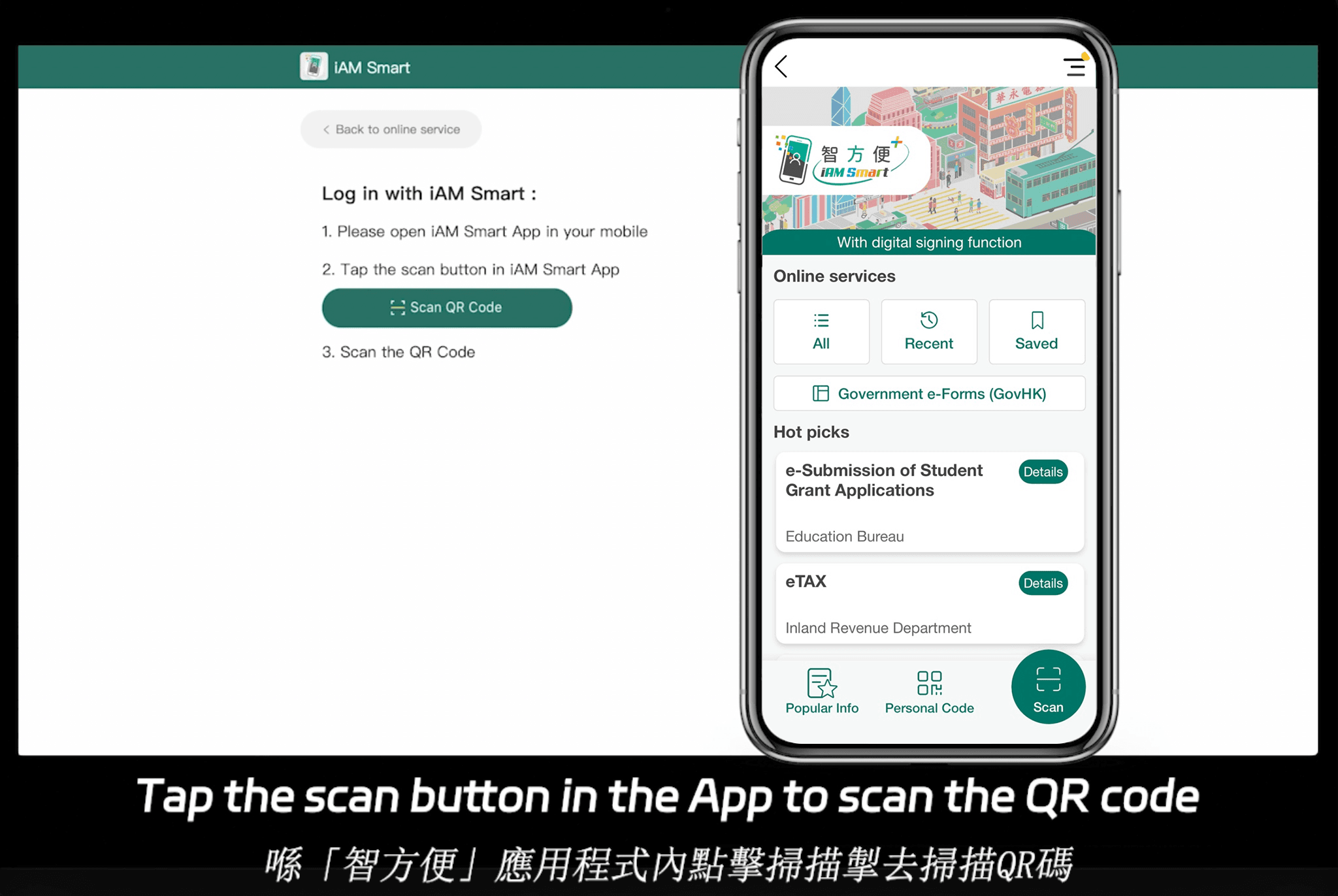
eSign.AI positions itself as a versatile CLM alternative with strong emphasis on regional adaptability. It supports compliance in over 100 mainstream countries worldwide, with particular advantages in the Asia-Pacific (APAC) region. APAC's electronic signature landscape is characterized by fragmentation, high standards, and strict regulation—unlike the more framework-based approaches in the US (ESIGN/UETA) or EU (eIDAS), which focus on basic intent and integrity. APAC standards are "ecosystem-integrated," requiring deep hardware/API-level docking with government-to-business (G2B) digital identities, such as Hong Kong's iAM Smart or Singapore's Singpass. This elevates technical barriers far beyond email verification or self-declaration models common in the West.
eSign.AI is actively competing with DocuSign and Adobe Sign globally, including in Europe and the Americas, by offering cost-effective plans. Its Essential version, for instance, costs just $24.9 per month (annual billing), allowing up to 100 documents for electronic signature, unlimited user seats, and verification via access codes—all while maintaining high compliance. This pricing model, without per-seat fees, provides exceptional value for scaling teams. For a 30-day free trial, visit eSign.AI's contact page. Its integrations with local systems ensure seamless operations in regulated environments.
HelloSign (Dropbox Sign): Simplicity for SMBs Scaling Globally
HelloSign, acquired by Dropbox in 2019, focuses on user-friendly CLM with strong API support for integrations like Google Workspace. It handles basic to mid-tier contract management, including templates and team collaboration, at $15–$25 per user/month. Compliant with ESIGN and eIDAS, it's ideal for smaller global teams but may lack the depth of enterprise-grade analytics found in DocuSign.
Competitor Comparison Table
| Feature/Aspect | DocuSign CLM | Adobe Sign | eSign.AI | HelloSign (Dropbox Sign) |
|---|---|---|---|---|
| Core CLM Functionality | Full lifecycle: authoring, negotiation, analytics | Workflow automation, PDF integration | AI-driven management, bulk sends | Basic templates, team signing |
| Global Compliance | ESIGN, eIDAS, APAC support via add-ons | ESIGN, eIDAS, ISO standards | 100+ countries, APAC ecosystem integration (iAM Smart, Singpass) | ESIGN, eIDAS basics |
| Pricing (per month, approx.) | Custom enterprise (starts ~$40/user) | $10–$40/user | $24.9 (Essential, unlimited users) | $15–$25/user |
| Strengths | AI insights, scalability | Adobe ecosystem integration | Cost-effective, regional APAC focus | Simplicity, Dropbox synergy |
| Limitations | Higher cost for add-ons | Less specialized CLM depth | Emerging in non-APAC markets | Limited advanced analytics |
| Best For | Large multinationals | Document-centric enterprises | APAC/global compliance needs | SMBs with basic needs |
This table highlights a balanced view: DocuSign leads in comprehensive features, while alternatives offer niche advantages in cost or regional fit.
FAQs