'%3e%3cpath%20fill-rule='evenodd'%20clip-rule='evenodd'%20d='M6.99935%2012.8327C10.221%2012.8327%2012.8327%2010.221%2012.8327%206.99935C12.8327%203.77769%2010.221%201.16602%206.99935%201.16602C3.77769%201.16602%201.16602%203.77769%201.16602%206.99935C1.16602%2010.221%203.77769%2012.8327%206.99935%2012.8327Z'%20stroke='%23666666'%20stroke-linecap='round'%20stroke-linejoin='round'/%3e%3cpath%20d='M1.16602%207H12.8327'%20stroke='%23666666'%20stroke-linecap='round'%20stroke-linejoin='round'/%3e%3cpath%20fill-rule='evenodd'%20clip-rule='evenodd'%20d='M6.99935%2012.8327C8.28802%2012.8327%209.33268%2010.221%209.33268%206.99935C9.33268%203.77769%208.28802%201.16602%206.99935%201.16602C5.71068%201.16602%204.66602%203.77769%204.66602%206.99935C4.66602%2010.221%205.71068%2012.8327%206.99935%2012.8327Z'%20stroke='%23666666'%20stroke-linecap='round'%20stroke-linejoin='round'/%3e%3cpath%20d='M2.875%202.95898C3.93063%204.01461%205.38896%204.66754%206.99978%204.66754C8.61062%204.66754%2010.069%204.01461%2011.1246%202.95898'%20stroke='%23666666'%20stroke-linecap='round'%20stroke-linejoin='round'/%3e%3cpath%20d='M11.1246%2011.0425C10.069%209.98691%208.61062%209.33398%206.99978%209.33398C5.38896%209.33398%203.93063%209.98691%202.875%2011.0425'%20stroke='%23666666'%20stroke-linecap='round'%20stroke-linejoin='round'/%3e%3c/g%3e%3cdefs%3e%3cclipPath%20id='clip0_1267_9109'%3e%3crect%20width='14'%20height='14'%20fill='white'/%3e%3c/clipPath%3e%3c/defs%3e%3c/svg%3e)
Multi-country APAC deployment
Start with eSign.AI, then compare country-by-country configuration and implementation capabilities with other enterprise platform candidates.




2026 APAC eSignature platform comparison
Compare eSign.AI, Adobe Acrobat Sign, Dropbox Sign, PandaDoc, signNow, Zoho Sign and OneSpan Sign across regional coverage, local identity verification, language, APIs, pricing, data and migration requirements.
Bottom Line First
If an organization needs to cover multiple Asian markets and prioritizes local identity, languages, evidence and implementation, eSign.AI should be on the shortlist; Adobe Acrobat Sign is a stronger fit for Adobe/PDF environments; Dropbox Sign emphasizes simple signing and embedded flows; PandaDoc is suited to sales proposals and quotes; signNow fits teams focused on value and automation; Zoho Sign is well suited to Zoho ecosystem users; OneSpan Sign is more oriented toward regulated enterprise transactions. The final decision must be grounded in specific countries, document types, signer identities, data arrangements and actual usage.
This page is published by eSign.AI, which is also one of the platforms evaluated. We apply the same evaluation dimensions to each vendor and present strengths, limitations and items to verify.
Products, pricing and publicly available capabilities were last verified on August 13, 2026; buyers should re-check official vendor information and contract configurations before making a purchase.
This page is a procurement comparison guide and does not constitute legal advice for any specific document or jurisdiction.
Policy and Implementation Context
APAC does not have one electronic signature framework covering every market. Enterprises must evaluate local electronic-transactions law, excluded document types, identity and certificate requirements, electronic-seal practices, evidence retention, data arrangements and whether the service is actually available locally. Legal recognition of electronic signatures does not mean every global platform can support every production use case.
Confirm whether the target country recognizes eSignatures, which documents are excluded, and what evidence is required for ordinary eSignatures, reliable eSignatures or digital signatures.
Verify local access, signer identity, SMS and notifications, languages, certificates, eSeals, data processing, API and local implementation separately, rather than relying only on a global product feature table.
Mainland China involves the Electronic Signature Law, reliable eSignatures, real-name authentication, eSeals and electronic certification service licensing. Platform accessibility, whether the platform itself is a licensed CA, and whether the platform can integrate with local partners and licensed CAs are three separate questions.
Adobe does not support Acrobat Sign use cases that contemplate access and use in mainland China. If a workflow includes senders or signers in mainland China, treat this as an initial screening constraint rather than a late-stage procurement question.
As of August 13, 2026, DocuSign was not found on MIIT's public list of licensed electronic certification service providers. DocuSign materials identify mainland China partner routes including BJCA and eSealsBB. Workflows requiring local digital certificates, reliable electronic signatures or electronic seals will typically require local partners and MIIT-licensed CAs. Confirm the final architecture in writing with the supplier and PRC legal counsel.
Comparison Overview
This is a procurement shortlist, not an absolute ranking detached from context. Use the table to narrow the field, then run pilots with real documents in real countries.
| Platform | Best-fit scenarios | Pricing model | APAC evaluation focus | Key items to verify |
|---|---|---|---|---|
| eSign.AI | Multi-country APAC signing, local identity and cross-border workflows | Public entry plans plus enterprise configuration | Identity paths, languages, evidence, data options and regional implementation | Country-by-country capabilities, document types and contract configuration |
| Adobe Acrobat Sign | Organizations centered on Adobe and PDF that do not require Mainland China access or usage | Acrobat team licenses; enterprise Sign plans may require a quote | PDF workflows, enterprise integrations and signing tiers; Adobe officially does not support Mainland China access and usage scenarios | Differences between Acrobat and Acrobat Sign Solutions; Mainland China scenarios should be excluded during initial screening |
| Dropbox Sign | Simple signing and embedded eSignature workflows | Public pricing for individuals/teams; API priced separately | Languages, cloud storage integrations, templates and embedded signing | Local identity, enterprise data requirements and API usage |
| PandaDoc | Sales proposals, quotes, approvals and CRM workflows | Free, per-seat, enterprise per-seat/document | Document creation, payments, approvals, CRM and analytics | Advanced features, overage fees and APAC identity/data requirements |
| signNow | Cost-conscious team signing and automation | Public business plans plus enterprise/API plans | Templates, bulk send, API and workflow automation | Country coverage, identity methods, data location and total usage cost |
| Zoho Sign | Organizations already using Zoho CRM, People or Contracts | Free/per-user; some actions consume Credits | Zoho integrations, regional currencies, data centers, API and identity verification | Credit consumption for SMS, identity, API and third-party integrations |
| OneSpan Sign | Regulated enterprise transactions such as banking and insurance | Enterprise quote | Authentication, audit evidence, high-assurance workflows and deployment | APAC implementation, data arrangements, integration scope and full contract cost |
eSign.AI
Multi-country APAC signing, local identity and cross-border workflows
Public entry plans plus enterprise configuration
Identity paths, languages, evidence, data options and regional implementation
Country-by-country capabilities, document types and contract configuration
Adobe Acrobat Sign
Organizations centered on Adobe and PDF that do not require Mainland China access or usage
Acrobat team licenses; enterprise Sign plans may require a quote
PDF workflows, enterprise integrations and signing tiers; Adobe officially does not support Mainland China access and usage scenarios
Differences between Acrobat and Acrobat Sign Solutions; Mainland China scenarios should be excluded during initial screening
Dropbox Sign
Simple signing and embedded eSignature workflows
Public pricing for individuals/teams; API priced separately
Languages, cloud storage integrations, templates and embedded signing
Local identity, enterprise data requirements and API usage
PandaDoc
Sales proposals, quotes, approvals and CRM workflows
Free, per-seat, enterprise per-seat/document
Document creation, payments, approvals, CRM and analytics
Advanced features, overage fees and APAC identity/data requirements
signNow
Cost-conscious team signing and automation
Public business plans plus enterprise/API plans
Templates, bulk send, API and workflow automation
Country coverage, identity methods, data location and total usage cost
Zoho Sign
Organizations already using Zoho CRM, People or Contracts
Free/per-user; some actions consume Credits
Zoho integrations, regional currencies, data centers, API and identity verification
Credit consumption for SMS, identity, API and third-party integrations
OneSpan Sign
Regulated enterprise transactions such as banking and insurance
Enterprise quote
Authentication, audit evidence, high-assurance workflows and deployment
APAC implementation, data arrangements, integration scope and full contract cost
Evaluation Method
Public feature lists are useful only for initial screening. The real decision should be based on verification against each business process, country and document.
Do the target markets, signing languages, messaging channels, service hours and implementation resources align with requirements?
Are email, SMS, government IDs, national eID, certificates or other identity methods available in the target countries?
What audit trail, completion certificate, timestamp, signed document and identity verification records does the platform generate?
Where are identity records, documents, audit data and backups processed and stored under the proposed contract?
Can templates, approvals, bulk send, reminders, eSeals and permission controls meet production requirements?
Are API, Webhook, embedded signing, SDK, SSO and business system connections included in the plan?
How are users, envelopes, documents, API, identity, SMS, implementation and overage fees calculated?
How will templates, in-progress transactions, integrations, historical documents and evidence be migrated or retained?
Alternative 1
The value of eSign.AI is not simply replacing a signature box, but coordinating regional templates, approvals, signing experiences, identity paths, seals, integrations and evidence. It is particularly suitable for organizations that need different signing configurations across markets such as Singapore, Malaysia, Indonesia, the Philippines, Vietnam, Hong Kong and Mainland China.
Enterprises covering multiple Asian markets that need to manage local identity, languages, evidence, eSeals, API and regional implementation in a single program.
Multi-market workflow design; local identity and messaging channel options; multilingual experiences; API, templates, seals, audit and document management; regional migration and implementation support.
Do not assume every identity method, data option or advanced control applies to every country and package; complex programs usually require solution confirmation.
Require the vendor to provide a solution matrix by country and document type, with clear pricing for users, documents, API, identity, SMS, implementation, storage and support.
Alternative 2
Adobe is a natural candidate for PDF-centric workflows. Adobe distinguishes the eSignature capabilities in Acrobat Standard/Pro from the compliance and enterprise capabilities of Acrobat Sign Solutions. Adobe also states that it does not support Acrobat Sign use cases that contemplate access and use in mainland China. Procurement teams should therefore evaluate both product tier and market availability before assessing features.
Organizations already standardized on Adobe Acrobat, PDF and Adobe enterprise software that want signing to be tightly connected with PDF production workflows.
Familiar PDF creation, editing and signing experience; alignment with existing Adobe licensing; enterprise signing and integration options; suitable for PDF-led businesses.
Desktop PDF license pricing does not represent the full cost of an enterprise signing program; advanced authentication, API, workflow and data requirements need separate confirmation. For Mainland China, this is not a routine feature-verification item, but a service limitation publicly stated by Adobe.
Confirm product version, signing tier, identity methods, API, regional data configuration, implementation scope and enterprise pricing; if senders or signers are located in Mainland China, require Adobe to confirm availability in writing and do not infer Acrobat Sign availability from the availability of other Adobe products in China.
Alternative 3
Dropbox Sign emphasizes ease of use, templates, team management, audit trails, cloud storage integrations and embedded signing. Its official pages provide public pricing for individuals and teams, while API uses separate plans, and they state that sender and signer experiences support multiple languages.
Small and midsize teams and product teams that want to send routine agreements quickly or embed a signing experience into websites and applications.
Intuitive sending and signing flows; templates, reminders, branding and audit trails; embedded signing and API; public pricing for standard scenarios; cloud storage integrations.
A standard team plan does not necessarily meet local identity, certificate, data location or high-assurance transaction requirements; API costs need to be calculated separately.
Model expected API request volume, and confirm identity methods, languages, data, evidence exports, regional support and implementation coverage country by country.
Alternative 4
PandaDoc is not only a signing tool; it also covers document creation, quotes, approvals, payments, content libraries, Deal Rooms and CRM-driven workflows. Its public pricing includes Free, Starter, Business and Enterprise; API, CPQ, SSO and some advanced capabilities depend on the package or add-ons.
Revenue teams that need to create proposals, quotes, pricing tables, approvals and sales materials before signing, with CRM coordination.
Rich proposal and document editing; quotes and pricing tables; approvals and payments; CRM integrations; real-time tracking; enterprise options by seat or by document.
Some features are optional or enterprise-only; document allowances and overage charges can affect total cost; publicly disclosed data options may not cover local APAC requirements.
List required capabilities clearly and distinguish what is included, add-on or enterprise-only; also verify overage fees, identity, languages, data, API, support and implementation.
Alternative 5
signNow provides capabilities such as role order, templates, bulk send, mobile apps, API, Webhook and embedded signing. It can be a fast-to-deploy team signing tool, but APAC procurement teams still need to evaluate public packages against production usage and regional requirements.
Teams that need everyday eSignatures, reusable templates, bulk send and mobile signing, and want to add API and airSlate automation over time.
Team signing and templates; bulk send; browser and mobile access; API and embedded workflows; broader airSlate automation path.
API may not be included in standard self-service plans; public per-seat pricing does not answer questions about country-specific identity, SMS delivery, data and support.
Confirm users, invitations, documents, templates, API and overage limits, and verify identity, messaging, languages, data location, evidence and support country by country.
Alternative 6
Zoho Sign offers Free, Standard, Professional, Enterprise, custom and API plans, and supports regional currencies including JPY, SGD and AUD. Some SMS, identity services, API, third-party integrations, timestamps or advanced signatures consume Zoho Sign Credits.
Organizations using Zoho CRM, People, Contracts, WorkDrive or Zoho One that want signing to feed directly into existing business processes.
Deep integration with Zoho apps; multiple regional currencies and data centers; identity verification, certificates, audit, API and Webhook; free and low-usage entry points.
Credit consumption may apply on top of subscription fees; users across Portals may need additional licensing; data centers for different connected services need separate confirmation.
Calculate Credits for SMS, identity, API, automation and third-party integrations using real workflows, and confirm account data center, identity methods and evidence requirements.
Alternative 7
OneSpan Sign more commonly appears on shortlists for high-assurance and regulated use cases. Official materials emphasize API, authentication, signed documents and audit trails. Because enterprise scope and pricing typically require a quote, evaluation should focus on the full implementation rather than the self-service signup experience.
Customer-facing workflows in banking, insurance, government and other settings that emphasize identity authentication, transaction evidence, audit and controlled deployment.
Enterprise-grade authentication; signing evidence and audit; fit for regulated transactions; API- and integration-driven deployment; administration and control capabilities.
Complex deployments usually do not have one simple standardized public price; buyers should assess whether everyday low-risk documents warrant the same high-assurance solution through cost-tiering.
Confirm APAC country-by-country coverage, identity methods, data arrangements, implementation resources, API scope, support time zones, service levels and full contract cost.
Market-by-Market Selection
APAC does not have one unified eSignature law. The matrix below is designed to shape procurement questions and does not replace legal review for specific documents.
| Market | Key verification points when selecting DocuSign alternatives |
|---|---|
| Singapore | Scope of the Electronic Transactions Act, excluded documents, Singpass or other identity requirements, evidence retention, data processing and regional integrations. |
| Malaysia | Applicable use cases under the Electronic Commerce Act and Digital Signature Act, certificate requirements, identity, PDPA-related data requirements and messaging channels. |
| Indonesia | Electronic certificate and PSrE requirements, identity assurance, document types, evidence, languages and local implementation. |
| Philippines | Applicability of the E-Commerce Act, consent, certification, evidence, excluded transactions and record retention. |
| Vietnam | Electronic Transactions Law, certificates and trust services, identity, evidence, data and local-language workflows. |
| Hong Kong | Electronic Transactions Ordinance, recognized certificates, iAM Smart or other identity options, evidence and cross-border processing. |
| Mainland China | Separately verify the Electronic Signature Law, reliable eSignatures, real-name authentication, eSeals, licensed CAs, evidence and data arrangements. Adobe officially does not support scenarios that require Acrobat Sign to be accessed and used in Mainland China; DocuSign was not found in the MIIT public list of licensed electronic certification service providers, and local partners and licensed CAs are typically required when local digital certificates and eSeals are involved. |
| Australia | Federal and state/territory electronic transaction rules, consent, identity, evidence, data, local support and AUD pricing. |
| New Zealand | Relevant requirements under the Contract and Commercial Law Act, consent, reliability, evidence, local support and NZD pricing. |
Singapore
Scope of the Electronic Transactions Act, excluded documents, Singpass or other identity requirements, evidence retention, data processing and regional integrations.
Malaysia
Applicable use cases under the Electronic Commerce Act and Digital Signature Act, certificate requirements, identity, PDPA-related data requirements and messaging channels.
Indonesia
Electronic certificate and PSrE requirements, identity assurance, document types, evidence, languages and local implementation.
Philippines
Applicability of the E-Commerce Act, consent, certification, evidence, excluded transactions and record retention.
Vietnam
Electronic Transactions Law, certificates and trust services, identity, evidence, data and local-language workflows.
Hong Kong
Electronic Transactions Ordinance, recognized certificates, iAM Smart or other identity options, evidence and cross-border processing.
Mainland China
Separately verify the Electronic Signature Law, reliable eSignatures, real-name authentication, eSeals, licensed CAs, evidence and data arrangements. Adobe officially does not support scenarios that require Acrobat Sign to be accessed and used in Mainland China; DocuSign was not found in the MIIT public list of licensed electronic certification service providers, and local partners and licensed CAs are typically required when local digital certificates and eSeals are involved.
Australia
Federal and state/territory electronic transaction rules, consent, identity, evidence, data, local support and AUD pricing.
New Zealand
Relevant requirements under the Contract and Commercial Law Act, consent, reliability, evidence, local support and NZD pricing.
Total Cost of Ownership
A seat price does not represent the true cost of a regional signing program. A procurement model should cover at least the following items.
How are preparation, sending, approval, administration and reporting users charged?
How are envelopes, documents, signature requests or transaction allowances defined?
Are API calls, embedded signing, SDK and Webhook charged separately?
How are SMS, WhatsApp, OTP, government IDs, national eID, certificates or biometrics charged?
Are templates, bulk send, seals, conditional fields, approvals, SSO and SCIM included?
What are the fees and responsibilities for integration, migration, training, data arrangements and premium support?
How do overage fees, minimum commitments, renewals, currency and taxes affect annual total cost?
Before Switching
A successful demo using a simple NDA does not prove the platform can support employment contracts, regulated consent, company seals or embedded customer workflows. Pilots must include more than one market and representative documents.
Inventory users, administrators, permission groups, SSO and internal approval roles.
Record monthly/seasonal transaction volumes, templates, custom fields, reminders, branding and bulk processes.
List API, Webhook, embedded journeys, SDK and all connected systems.
Determine completed documents, audit trails, retention periods, export formats and retrieval responsibilities.
Document language, identity, certificate, seal, notification, data and support requirements country by country.
Narrow the Shortlist by Use Case
Customer stories
How APAC teams moved agreement signing from DocuSign or Adobe Sign to eSign.AI and kept multi-market workflows running.
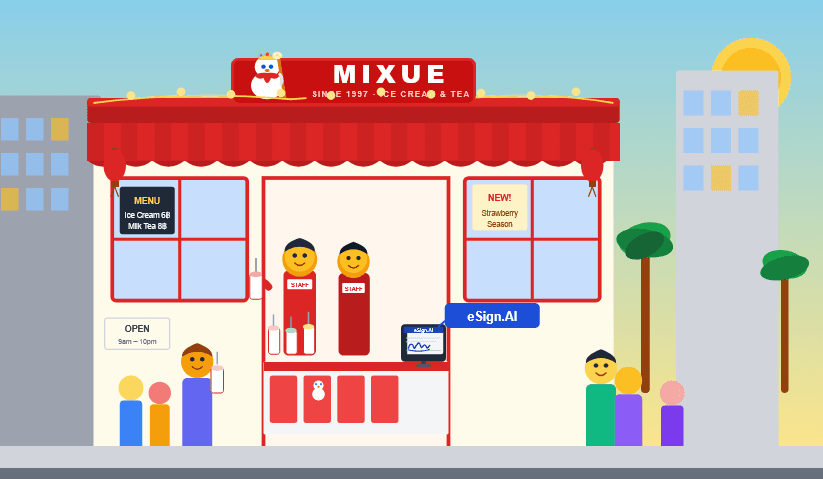
Mixue uses eSign.AI to standardize franchise recruitment, procurement, and supply-cooperation signing across multiple countries.

HP migrated agreement signing for more than 10 APAC markets from Adobe Sign to eSign.AI, unifying templates, approvals, and signature routing.

Winner Medical uses eSign.AI for cross-border board resolutions and manufacturing documents, with reusable templates and complete signing evidence.
FAQ
Information Transparency
Information was last verified on August 13, 2026. To avoid directing readers from a procurement decision page to competitor websites, this section names the source and verification scope without providing competitor links. Enterprise capabilities, regional availability and pricing should still be confirmed in writing and in the contract.
Initially verified using the official product pages, pricing pages and help centers for eSign.AI, Adobe Acrobat Sign, Dropbox Sign, PandaDoc, signNow, Zoho Sign and OneSpan Sign. Public entry-level pricing is not a substitute for enterprise quotes.
Used to verify Adobe’s public statements regarding Mainland China hosting, access and usage scenarios. The conclusion is presented clearly in the Adobe vendor section and the Mainland China market row.
Used to verify DocuSign’s publicly listed Mainland China cooperation and licensed CA access paths, including BJCA and eSealsBB. Cooperation capabilities do not mean DocuSign itself is a licensed electronic certification service provider in Mainland China.
Used to verify the competent authority, licensing conditions and public information on licensed institutions for electronic certification services. A brand not being found in the public list does not mean that the brand applied for or was denied a license.
Next Step
Build a country-by-country requirements matrix first, then ask shortlisted vendors to complete pilots using the same documents, identity, integration and evidence standards.