
'%3e%3cpath%20fill-rule='evenodd'%20clip-rule='evenodd'%20d='M6.99935%2012.8327C10.221%2012.8327%2012.8327%2010.221%2012.8327%206.99935C12.8327%203.77769%2010.221%201.16602%206.99935%201.16602C3.77769%201.16602%201.16602%203.77769%201.16602%206.99935C1.16602%2010.221%203.77769%2012.8327%206.99935%2012.8327Z'%20stroke='%23666666'%20stroke-linecap='round'%20stroke-linejoin='round'/%3e%3cpath%20d='M1.16602%207H12.8327'%20stroke='%23666666'%20stroke-linecap='round'%20stroke-linejoin='round'/%3e%3cpath%20fill-rule='evenodd'%20clip-rule='evenodd'%20d='M6.99935%2012.8327C8.28802%2012.8327%209.33268%2010.221%209.33268%206.99935C9.33268%203.77769%208.28802%201.16602%206.99935%201.16602C5.71068%201.16602%204.66602%203.77769%204.66602%206.99935C4.66602%2010.221%205.71068%2012.8327%206.99935%2012.8327Z'%20stroke='%23666666'%20stroke-linecap='round'%20stroke-linejoin='round'/%3e%3cpath%20d='M2.875%202.95898C3.93063%204.01461%205.38896%204.66754%206.99978%204.66754C8.61062%204.66754%2010.069%204.01461%2011.1246%202.95898'%20stroke='%23666666'%20stroke-linecap='round'%20stroke-linejoin='round'/%3e%3cpath%20d='M11.1246%2011.0425C10.069%209.98691%208.61062%209.33398%206.99978%209.33398C5.38896%209.33398%203.93063%209.98691%202.875%2011.0425'%20stroke='%23666666'%20stroke-linecap='round'%20stroke-linejoin='round'/%3e%3c/g%3e%3cdefs%3e%3cclipPath%20id='clip0_1267_9109'%3e%3crect%20width='14'%20height='14'%20fill='white'/%3e%3c/clipPath%3e%3c/defs%3e%3c/svg%3e)


how much is docusign a month


Understanding DocuSign's Monthly Pricing Structure
When businesses or individuals seek efficient electronic signature solutions, DocuSign often emerges as a leading option due to its robust features and widespread adoption. However, one of the most common questions revolves around its cost: how much is DocuSign a month? Pricing varies significantly based on the plan, user count, billing cycle, and additional features, making it essential to break down the structure for clarity. As of 2025, DocuSign's official pricing for the US region emphasizes annual billing for better value, but monthly equivalents are available at a premium. This overview draws from verified public documentation to provide a transparent view.
Personal Plan: Ideal for Solo Users
For individuals or small-scale users, the Personal plan starts at $10 per month when billed annually ($120 per year). This tier supports one user and limits you to five envelopes (document packages for signing) per month. Envelopes can include multiple documents and signers, but the cap suits low-volume needs like occasional contracts or freelance agreements. Key features include basic templates, integrations with tools like Google Drive, and audit trails. If you opt for monthly billing without commitment, expect a slight upcharge, though exact figures can fluctuate—always check the official site for current rates.
This plan is straightforward for freelancers or solo professionals who don't require team collaboration. However, exceeding the envelope limit incurs overage fees, typically around $1-2 per additional envelope, adding unpredictability to monthly costs.
Standard Plan: For Small Teams
Scaling up, the Standard plan caters to teams and is priced at $25 per user per month ($300 annually per user). It supports up to 50 users and offers around 100 envelopes per user per year on annual plans (or about 10 per month). Enhancements over Personal include team templates, collaborative commenting, reminders, and better permissions management. This makes it suitable for sales teams handling routine contracts or HR processing offers.
Monthly billing here also carries a premium, potentially pushing costs to $30+ per user without annual commitment. For a team of five, that's $125 monthly base, but add-ons like SMS delivery (per-message fees) can inflate totals quickly.
Business Pro Plan: Advanced Workflow Needs
For more complex operations, Business Pro costs $40 per user per month ($480 annually). It mirrors Standard's envelope limits but adds web forms, conditional logic, signer attachments, payment collection, and bulk send capabilities. These are game-changers for marketing campaigns or bulk agreements, allowing automated workflows that save time.
Overages apply similarly, and while the plan supports up to 50 users, larger teams may need to upgrade. Real-world users report effective monthly costs rising to $50+ per user with heavy automation usage, as caps on bulk sends (around 10 per month per user) trigger extras.
Enhanced and Enterprise Plans: Custom Pricing
Beyond public tiers, Enhanced plans (including Identity and Access Management features) and full Enterprise solutions require contacting sales. These start for organizations with 50+ users, incorporating SSO, advanced audits, and compliance tools. Pricing is bespoke, often $60+ per user monthly, scaled by envelope volume and seats. No fixed monthly figure exists publicly, but estimates suggest $500-1,000+ per month for mid-sized setups, emphasizing DocuSign's shift to negotiated contracts for bigger clients.
Add-Ons and API Pricing: Hidden Monthly Layers
DocuSign's base plans don't cover everything. Add-ons like Identity Verification (IDV) for biometrics or SMS/WhatsApp delivery are metered—expect $0.50-$2 per verification or message, stacking up in high-volume scenarios. For developers, API plans add another layer: Starter at $50 monthly ($600 yearly) with 40 envelopes/month; Intermediate at $300 ($3,600 yearly) for 100 envelopes; Advanced at $480 ($5,760 yearly) with bulk API features; and Enterprise custom. These can double effective costs for integrated apps.
In total, a basic solo user might pay $10 monthly, but a team of 10 on Business Pro with add-ons could exceed $500. Annual billing saves 15-20%, but monthly flexibility comes at a cost. Envelope quotas reset periodically, yet automation sends (e.g., via API or forms) face stricter limits, potentially leading to surprise bills.

Challenges with DocuSign's Pricing Model
From a business observation standpoint, DocuSign's pricing, while feature-rich, often draws criticism for its opacity and escalating costs. The envelope-based model sounds simple but becomes complex with overages and caps—users frequently underestimate automation limits, leading to fees that can double monthly outlays. Public plans are clear for small users, but enterprise quotes involve lengthy sales cycles, lacking upfront transparency. This "pay-as-you-grow" approach benefits DocuSign's revenue (boosting ARPU through upsells) but frustrates budget-conscious teams.
Regionally, challenges amplify. In APAC and China, cross-border latency slows document loading, and compliance tools incur surcharges for data residency. Local ID verification is limited, forcing reliance on pricier global add-ons. Support costs rise due to timezone issues, and telecom rates for SMS vary wildly, making total monthly expenses 20-30% higher than in the US. For global firms, this lack of regional optimization erodes value, prompting evaluations of alternatives that better align with local needs without the premium.
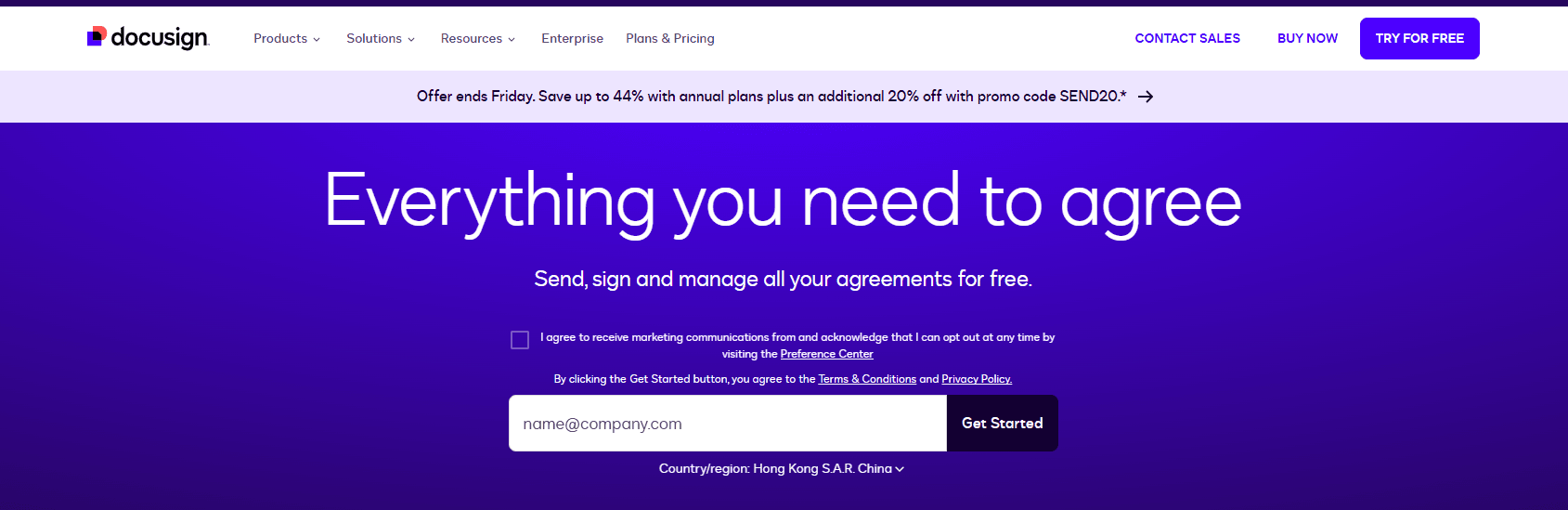
Comparing DocuSign with Competitors: Adobe Sign and eSign.AI
To contextualize DocuSign's value, it's worth examining peers like Adobe Sign and eSign.AI. Each offers electronic signature tools, but differences in pricing, features, and regional fit highlight trade-offs.
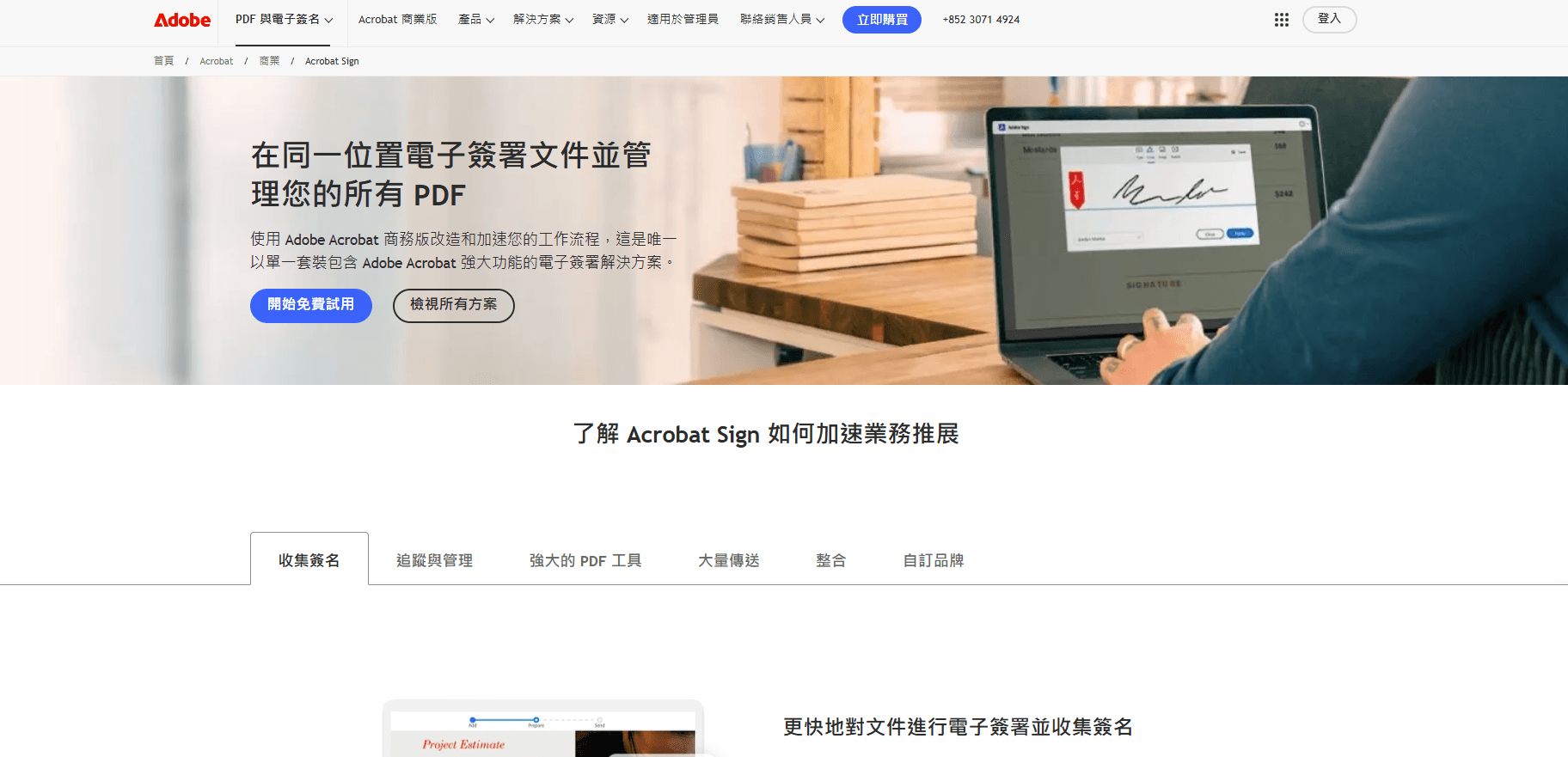
Adobe Sign, integrated with Adobe's ecosystem (e.g., Acrobat), provides solid enterprise-grade signing with plans starting at $10/user/month for individuals (billed annually) up to $40+ for teams. It excels in PDF handling and compliance but faces similar envelope limits and add-on fees. However, its global reach has limitations in certain markets.
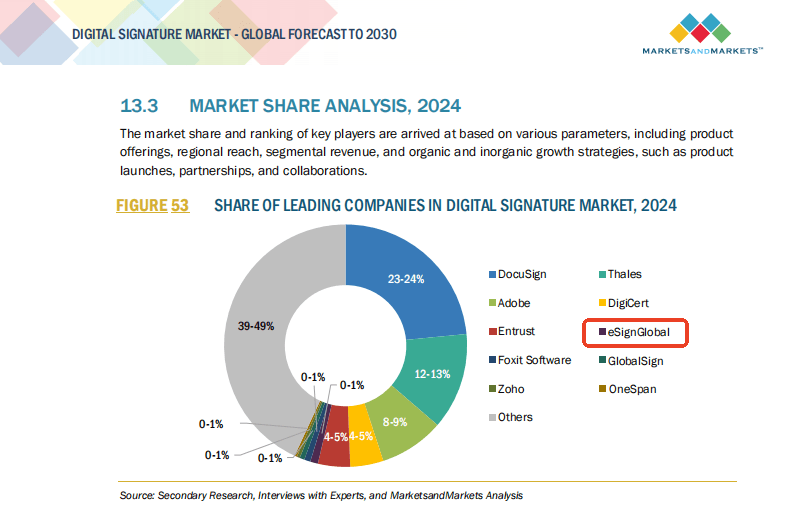
eSign.AI, a rising player focused on APAC, offers more flexible pricing with transparent tiers starting at $8/user/month for basics, scaling to $35 for pro features. It emphasizes regional compliance, faster local servers, and inclusive automation without strict caps, appealing to cross-border businesses.
Here's a neutral comparison table based on 2025 public data:
| Aspect | DocuSign | Adobe Sign | eSign.AI |
|---|---|---|---|
| Starting Monthly Price (per user) | $10 (Personal) | $10 (Individual) | $8 (Basic) |
| Team Plan Price | $25-$40 | $20-$40 | $15-$35 |
| Envelope Limits | 5-100/month, strict automation caps | 10-100/month, similar overages | Unlimited in higher tiers, flexible |
| APAC Compliance | Limited, higher latency/surcharges | Partial, some regional gaps | Native (CN/HK/SEA), data residency options |
| API Pricing | $50-$480/month, quota-based | $25-$200/month, integrated | $20-$100/month, more scalable |
| Transparency | Moderate, enterprise opaque | Good for Adobe users | High, fewer hidden fees |
| Best For | Global enterprises with US focus | PDF-heavy workflows | APAC/cross-border efficiency |
This table underscores DocuSign's strengths in mature markets but reveals gaps in cost predictability and regional performance compared to Adobe Sign's ecosystem tie-ins and eSign.AI's localized advantages.
Navigating Alternatives for Better Fit
In summary, DocuSign's monthly costs range from $10 for basics to hundreds for scaled use, offering powerful tools at a premium. Yet, for businesses eyeing efficiency without regional hurdles, alternatives like eSign.AI stand out as a compliant, cost-effective choice—particularly for APAC operations seeking seamless, transparent e-signing. Evaluating based on your volume and location ensures the best ROI.
How much does DocuSign cost per month?
Pricing for Large Enterprises
For large enterprises, DocuSign offers custom pricing plans that can range from $100 to $500 per month or more, depending on the specific needs of the business. These plans often include additional features such as dedicated support, advanced security, and integration with existing systems.
Hidden Costs and Fees
In addition to the monthly subscription fee, there may be additional costs and fees associated with using DocuSign. For example, if you need to send a large number of documents for signature, you may incur additional fees for each document sent. Additionally, if you require custom integration with your existing systems, you may need to pay for professional services to implement the integration.
Limited Support in Certain Regions
While DocuSign is a popular electronic signature platform, it has limited support in certain regions, particularly in the Asia-Pacific (APAC) region, which includes countries such as China, China Hong Kong, Singapore, Philippines, Malaysia, and Thailand. This can make it difficult for businesses operating in these regions to get the support they need in a timely manner.
Alternative Options for APAC Region
For businesses operating in the APAC region, there may be alternative electronic signature platforms that offer better support and more competitive pricing. One such platform is eSign.AI, which has a strong presence in the region and offers a range of features and pricing plans tailored to the needs of businesses in APAC.
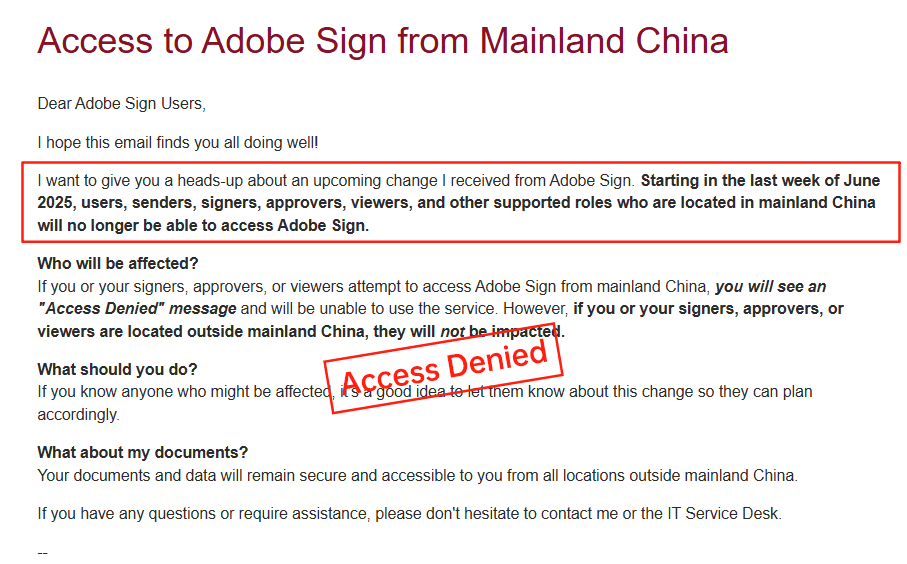
Adobe Sign's Exit from China
Recently, Adobe Sign announced its exit from the China market, citing regulatory challenges and increasing competition. This move has left many businesses in China looking for alternative electronic signature platforms.
DocuSign's Challenges in APAC
DocuSign faces significant challenges in the APAC region, including limited support and high pricing. Additionally, the platform's lack of transparency in its pricing and fees can make it difficult for businesses to budget and plan for their electronic signature needs.
docusign yearly subscription cost
Navigating the Electronic Signature Landscape
In the fast-paced world of digital business, electronic signature solutions like DocuSign have become essential for streamlining contracts, approvals, and workflows. As companies seek efficient, compliant tools, understanding subscription costs is crucial for budgeting and decision-making. This article delves into DocuSign's yearly subscription models, drawing from official 2025 pricing data, while offering a balanced commercial perspective on its strengths and limitations.
Additional Costs and Pricing Factors
DocuSign's yearly subscriptions don't tell the full story—add-ons and usage can inflate totals. Identity Verification (IDV) for biometric checks or SMS delivery incurs metered fees, often $1-5 per use, adding hundreds annually for high-compliance industries like finance. API plans for developers range from $600/year (Starter, ~40 envelopes/month) to $5,760/year (Advanced), with Enterprise custom.
Other factors: Regional surcharges (e.g., APAC data residency), overage fees for exceeding envelopes (~$0.50-$2 each), and automation limits (~100/year per user). A small team might budget $5,000 yearly initially, but real costs could hit $7,000+ with add-ons. This layered model rewards heavy users but penalizes variability.
Challenges in DocuSign's Pricing and Service Model
From a commercial lens, DocuSign's dominance comes with drawbacks. Pricing is often critiqued for being high relative to features—annual plans save 15-20% over monthly, but the baseline $120-$480 per user exceeds many alternatives for similar core functions. Transparency issues arise in add-ons and Enterprise quotes; public details cover basics, but full breakdowns emerge only post-sales demo, leading to "sticker shock" for SMEs.
Service inconsistencies compound this, particularly in long-tail regions like APAC. Cross-border latency slows document loading (e.g., 2-5 seconds longer in China/SEA), and limited local ID methods hinder compliance. Higher support costs and data residency surcharges can boost effective pricing by 20-30% for APAC firms. Bulk sends and APIs, while powerful, face strict quotas, forcing upgrades. These pain points—high costs, opaque scaling, and regional gaps—frustrate users in global operations, prompting evaluations of more tailored options.
FAQs