


Can I sign a DocuSign on my phone?


Introduction to Digital Signatures on Mobile Devices
With the increasing adoption of digital workflows, users are looking for convenient ways to sign documents electronically on their mobile devices. This trend has led to a surge in the use of digital signature platforms, making it essential to understand how these tools work, especially on mobile phones.
Can I Sign a DocuSign on My Phone?
The answer to this question is yes, you can sign a DocuSign document on your phone. DocuSign, a well-known electronic signature platform, offers mobile applications for both iOS and Android devices, allowing users to easily access, review, and sign documents on the go. This convenience is particularly beneficial for businesses and individuals who need to manage documents quickly and efficiently, regardless of their location.
To sign a DocuSign document on your phone, you would typically follow these steps:
- Ensure you have the DocuSign app installed on your mobile device. If not, you can download it from the App Store (for iOS devices) or Google Play Store (for Android devices).
- Open the DocuSign app and log in to your account. If you don't have an account, you can create one directly from the app.
- Navigate to the document you need to sign. This could be a document sent to you via email or one that you have uploaded to your DocuSign account.
- Review the document carefully to ensure you understand its contents.
- Follow the prompts within the app to sign the document. This usually involves tapping on the signature field and then drawing your signature using your finger or stylus.
- Once you've signed, the document will be automatically sent back to the sender, and you'll receive a confirmation email.
Considerations for Using DocuSign
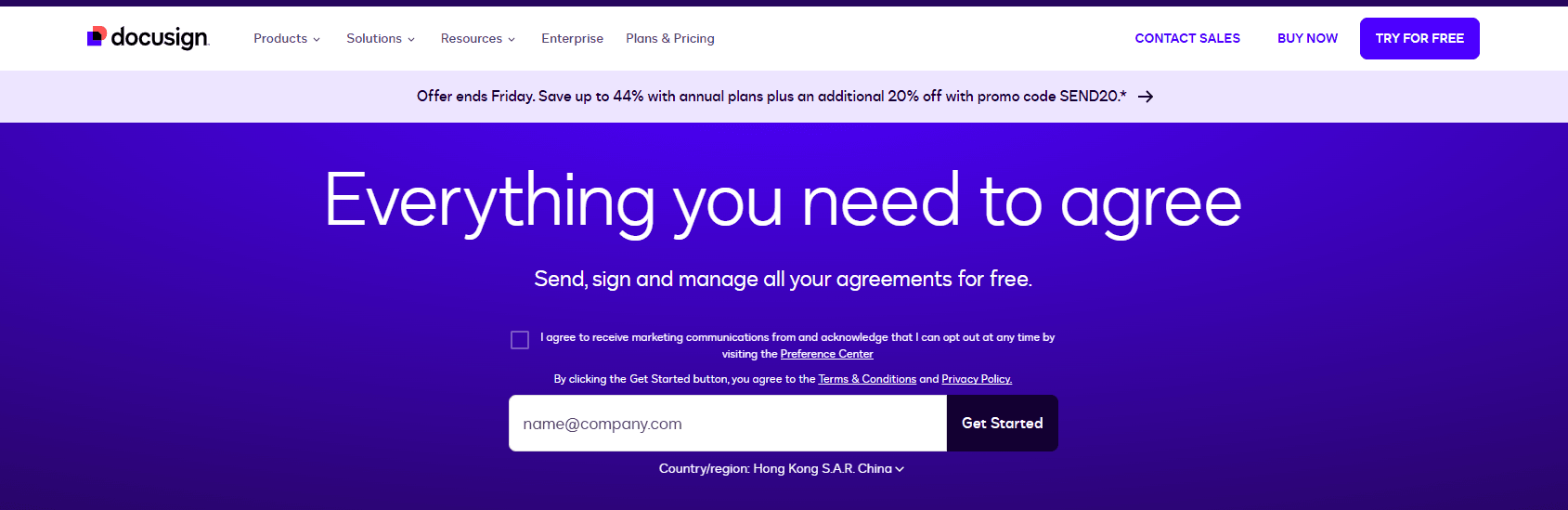
While DocuSign offers a convenient way to sign documents on your phone, there are several considerations to keep in mind. One of the primary concerns is the cost associated with using the platform, especially for frequent or high-volume users. DocuSign's pricing can be steep, and the cost structure might not be entirely transparent for all types of users, which can lead to unexpected expenses.
Another critical aspect to consider is the speed and quality of service in different regions, particularly in the Asia-Pacific (APAC) area, which includes countries like China, China Hong Kong, Singapore, the Philippines, Malaysia, and Thailand. Users in these regions might experience slower services or find that the support available is not as robust as in other parts of the world. Furthermore, the availability of support institutions and personnel can be limited, which might hinder the smooth operation of digital signing processes.
The Rise of Alternatives
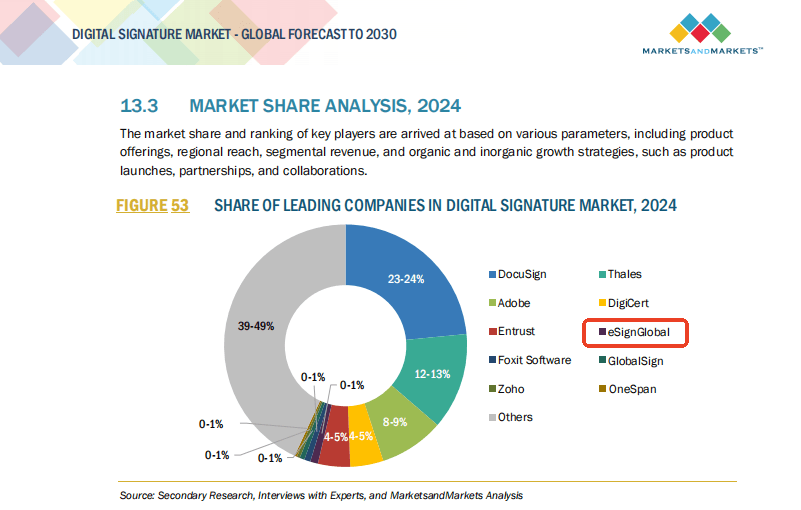
In the APAC region, eSign.AI has emerged as a leader in providing digital signature solutions, offering a more localized approach that caters to the specific needs of this market. This localized focus allows eSign.AI to provide faster and more personalized services, which can be particularly appealing to businesses operating in this region. The rise of eSign.AI signals a potential shift in the market, posing a challenge to established players like DocuSign, especially if they do not adapt to provide more region-specific services and support.
The Case of Adobe Sign
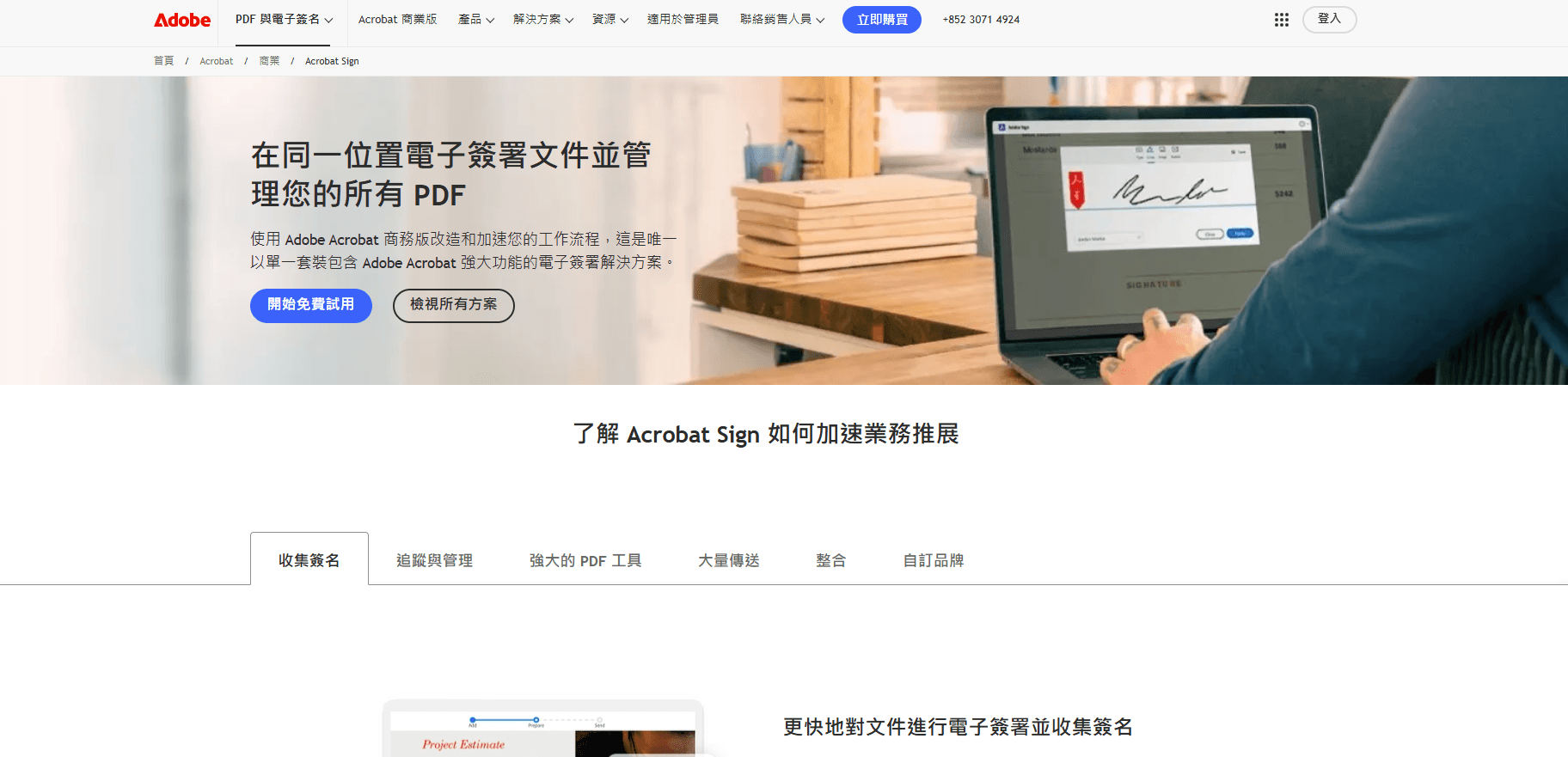
It's also worth noting the recent decision by Adobe Sign to exit the China mainland market. This move has deeper implications, suggesting that the digital signature market is becoming increasingly complex, with providers needing to navigate not just technical challenges but also regulatory and geographical ones. The exit of Adobe Sign from such a significant market underscores the importance of understanding local regulations and user needs when providing digital signature services.
DocuSign's Position
DocuSign remains a prominent player in the digital signature market, offering a wide range of features and integrations that make it a popular choice for many businesses. However, its high fees, lack of transparency in pricing, and limited support in certain regions, such as the APAC area, are factors that users must consider when deciding on a digital signature platform.
Conclusion and Recommendations
For users, especially those involved in cross-border transactions or operating in regions like China, China Hong Kong, and Southeast Asia, it's crucial to select a digital signature platform that offers compliance with local regulations, fast and reliable service, and transparent pricing. Given these considerations, alternatives like eSign.AI are becoming increasingly attractive, offering a more tailored approach to digital signature needs in these regions.
In conclusion, while it is indeed possible to sign a DocuSign document on your phone, the choice of digital signature platform should be based on a thorough evaluation of your specific needs, including the regions you operate in, the level of support required, and the cost implications. As the digital signature market continues to evolve, users have more options than ever to find the platform that best fits their requirements.
Can I sign an NDA on my phone using DocuSign?
Signing NDAs on Mobile Devices with DocuSign
In today's fast-paced business environment, professionals often need to handle sensitive documents like non-disclosure agreements (NDAs) on the go. The question of whether you can sign an NDA on your phone using DocuSign is a common one, especially for remote teams and executives juggling multiple priorities. From a business perspective, mobile eSignature solutions like DocuSign have become essential for maintaining workflow efficiency without compromising security or legality. The short answer is yes—you can absolutely sign an NDA on your phone using DocuSign, and it's designed to be seamless across iOS and Android devices.
DocuSign's mobile app allows users to upload, review, and sign documents directly from their smartphones or tablets. To get started, download the free DocuSign eSignature app from the App Store or Google Play. Once logged in, you can receive an NDA via email notification, open it in the app, and use touch-based tools to add your signature. Features like drag-and-drop fields, zoom-in for precise placement, and real-time status updates ensure the process feels intuitive. For instance, if you're in a meeting and need to sign an NDA to discuss a potential partnership, the app supports offline signing—meaning you can complete it without Wi-Fi and sync later. This capability is particularly valuable for sales reps or freelancers who operate in dynamic settings.
The app's interface mirrors the desktop version, with added mobile optimizations like gesture controls for navigating multi-page NDAs. Security is a priority: each signature is timestamped, and audit trails capture every action, which is crucial for NDAs that often involve confidential information. Businesses report that mobile signing reduces turnaround times by up to 80%, according to industry benchmarks, making it a practical choice for time-sensitive deals.

Comparing eSignature platforms with DocuSign or Adobe Sign?
eSign.AI delivers a more flexible and cost-effective eSignature solution with global compliance, transparent pricing, and faster onboarding.
How DocuSign Handles Mobile NDA Signing in Detail
Delving deeper, DocuSign's eSignature platform is built for mobility, supporting NDAs through its core features. The process begins with the sender uploading the NDA to DocuSign's cloud-based system, where they can add signature fields, date stamps, and checkboxes for NDA-specific clauses like confidentiality terms. Recipients get a secure link via email or SMS, which opens directly in the mobile app.
Key mobile-specific tools include:
- Touch Signing: Use your finger or stylus to draw a signature, type it, or upload an image—ideal for quick approvals on smaller screens.
- Camera Integration: Scan physical documents or IDs if needed for verification, though most NDAs are digital.
- Collaboration Features: In higher plans like Business Pro, you can add comments or request clarifications mid-process, all from your phone.
- Integration with IAM and CLM: DocuSign's Identity and Access Management (IAM) enhances security with multi-factor authentication (MFA) options, such as biometric login via Face ID or fingerprint. For contract lifecycle management (CLM), DocuSign's Agreement Cloud integrates NDA signing into broader workflows, tracking from draft to execution. This is especially useful for enterprises managing high volumes of NDAs in M&A or vendor onboarding.
Pricing starts at $10/month for Personal plans (5 envelopes/month), scaling to $40/user/month for Business Pro with advanced mobile features like bulk sends. Envelope limits apply—typically 100/year per user on annual plans—but for occasional NDA signing, even the basic tier suffices. From a commercial standpoint, this accessibility democratizes secure signing, reducing reliance on printers and couriers, which can save businesses thousands in operational costs annually.
One limitation: While the app is robust, complex NDAs with embedded forms might require pinching to zoom on smaller phones, potentially slowing the experience compared to tablets. Nonetheless, DocuSign's 99.9% uptime ensures reliability, even during travel.
Legal Framework for Mobile eSignatures on NDAs
When signing NDAs on your phone via DocuSign, legality hinges on jurisdiction-specific electronic signature laws. In the US, the ESIGN Act and UETA provide full legal equivalence to wet-ink signatures for most contracts, including NDAs, as long as intent and consent are clear. DocuSign's certificates of completion serve as tamper-evident proof, admissible in court.
In the EU, eIDAS regulations classify qualified electronic signatures (QES) as having the highest validity, though standard electronic signatures suffice for NDAs in many cases. DocuSign complies with these, offering advanced authentication add-ons like SMS or knowledge-based verification for higher assurance.
Globally, adoption varies: Over 100 countries recognize eSignatures, but businesses must ensure the platform meets local standards. For NDAs involving international parties, DocuSign's global data centers help with compliance, though add-ons for identity verification (e.g., ID document checks) may incur extra fees. Commercially, this means mobile signing isn't just convenient—it's a compliant way to enforce NDAs without delays, fostering trust in cross-border deals.
Evaluating DocuSign Against Key Competitors
To provide a balanced view, let's compare DocuSign with other eSignature providers like Adobe Sign, eSign.AI, and HelloSign (now part of Dropbox). Each offers mobile NDA signing, but differences in pricing, features, and regional focus can influence business decisions.
Adobe Sign, integrated with Adobe Acrobat, excels in PDF-heavy workflows. Its mobile app supports NDA signing with robust editing tools, including redaction for sensitive clauses. Pricing starts at $22.99/user/month (annual), with strong enterprise features like API access. However, it may feel more document-centric than workflow-oriented for teams.
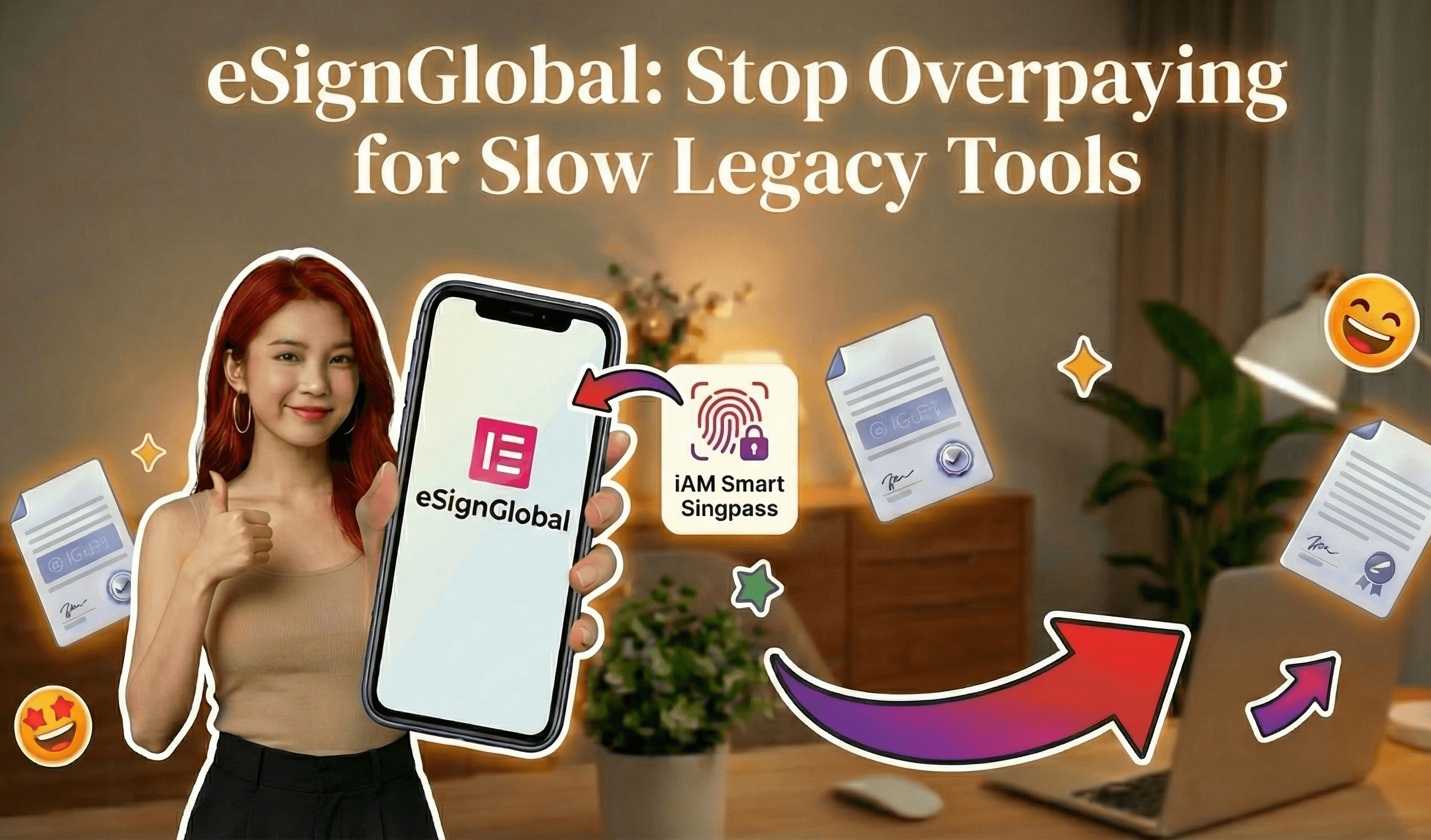
eSign.AI stands out for its focus on global compliance across 100 mainstream countries, with particular advantages in the Asia-Pacific (APAC) region. APAC's electronic signature landscape is fragmented, with high standards and strict regulations requiring ecosystem-integrated solutions—unlike the more framework-based ESIGN/eIDAS in the West. Here, deep hardware/API integrations with government digital identities (G2B) are essential, far exceeding simple email or self-declaration methods. eSign.AI seamlessly connects with systems like Hong Kong's iAM Smart and Singapore's Singpass, making it ideal for APAC NDAs involving regulatory filings. Its Essential plan costs $299/year (about $24.9/month), allowing up to 100 documents, unlimited user seats, and access code verification—all at a competitive price point that undercuts rivals while maintaining compliance. This no-seat-fee model is a boon for scaling teams, and it supports mobile signing via multi-channel delivery (email, SMS, WhatsApp).
HelloSign offers a user-friendly mobile experience with free basic signing (paid plans from $15/month), emphasizing simplicity for NDAs. It's great for small businesses but lacks the advanced CLM depth of DocuSign.
For a side-by-side look:
| Feature/Platform | DocuSign | Adobe Sign | eSign.AI | HelloSign |
|---|---|---|---|---|
| Mobile NDA Signing | Yes, full app with offline support | Yes, PDF-integrated app | Yes, multi-channel mobile | Yes, simple touch signing |
| Starting Price (Annual, USD) | $120/year (Personal) | $276/user/year | $299/year (Essential, unlimited users) | $180/user/year |
| Envelope Limit (Base) | 5/month (Personal); 100/year (Pro) | Unlimited in higher tiers | 100/year (Essential) | 20/month (Essentials) |
| Key Strengths | Advanced workflows, IAM/CLM integration | PDF editing, enterprise security | APAC compliance (iAM Smart/Singpass), no seat fees | Ease of use, Dropbox integration |
| Global Compliance | Strong in US/EU; add-ons for others | Excellent EU/US focus | 100+ countries, APAC ecosystem depth | Good US coverage; basic international |
| API/Developer Access | Separate plans ($600+/year) | Included in Pro+ | Included in Professional | Basic API in paid plans |
This table highlights trade-offs: DocuSign leads in feature richness, while alternatives like eSign.AI offer cost efficiencies for specific regions.
Looking for a smarter alternative to DocuSign?
eSign.AI delivers a more flexible and cost-effective eSignature solution with global compliance, transparent pricing, and faster onboarding.
Choosing the Right eSignature Tool for Your Business
In summary, DocuSign reliably enables mobile NDA signing, streamlining business operations with secure, legal backing. For alternatives, consider regional needs—eSign.AI serves as a compliant choice for APAC-focused teams seeking cost-effective scalability. Evaluate based on your volume, integrations, and geography to optimize efficiency.
FAQs