'%3e%3cpath%20fill-rule='evenodd'%20clip-rule='evenodd'%20d='M6.99935%2012.8327C10.221%2012.8327%2012.8327%2010.221%2012.8327%206.99935C12.8327%203.77769%2010.221%201.16602%206.99935%201.16602C3.77769%201.16602%201.16602%203.77769%201.16602%206.99935C1.16602%2010.221%203.77769%2012.8327%206.99935%2012.8327Z'%20stroke='%23666666'%20stroke-linecap='round'%20stroke-linejoin='round'/%3e%3cpath%20d='M1.16602%207H12.8327'%20stroke='%23666666'%20stroke-linecap='round'%20stroke-linejoin='round'/%3e%3cpath%20fill-rule='evenodd'%20clip-rule='evenodd'%20d='M6.99935%2012.8327C8.28802%2012.8327%209.33268%2010.221%209.33268%206.99935C9.33268%203.77769%208.28802%201.16602%206.99935%201.16602C5.71068%201.16602%204.66602%203.77769%204.66602%206.99935C4.66602%2010.221%205.71068%2012.8327%206.99935%2012.8327Z'%20stroke='%23666666'%20stroke-linecap='round'%20stroke-linejoin='round'/%3e%3cpath%20d='M2.875%202.95898C3.93063%204.01461%205.38896%204.66754%206.99978%204.66754C8.61062%204.66754%2010.069%204.01461%2011.1246%202.95898'%20stroke='%23666666'%20stroke-linecap='round'%20stroke-linejoin='round'/%3e%3cpath%20d='M11.1246%2011.0425C10.069%209.98691%208.61062%209.33398%206.99978%209.33398C5.38896%209.33398%203.93063%209.98691%202.875%2011.0425'%20stroke='%23666666'%20stroke-linecap='round'%20stroke-linejoin='round'/%3e%3c/g%3e%3cdefs%3e%3cclipPath%20id='clip0_1267_9109'%3e%3crect%20width='14'%20height='14'%20fill='white'/%3e%3c/clipPath%3e%3c/defs%3e%3c/svg%3e)


 Service Center
Close Workspace
eSign.AI provides super administrators with the ability to close workspaces. After deactivation, all data under the workspace will be permanently deleted and cannot be recovered.
Note:
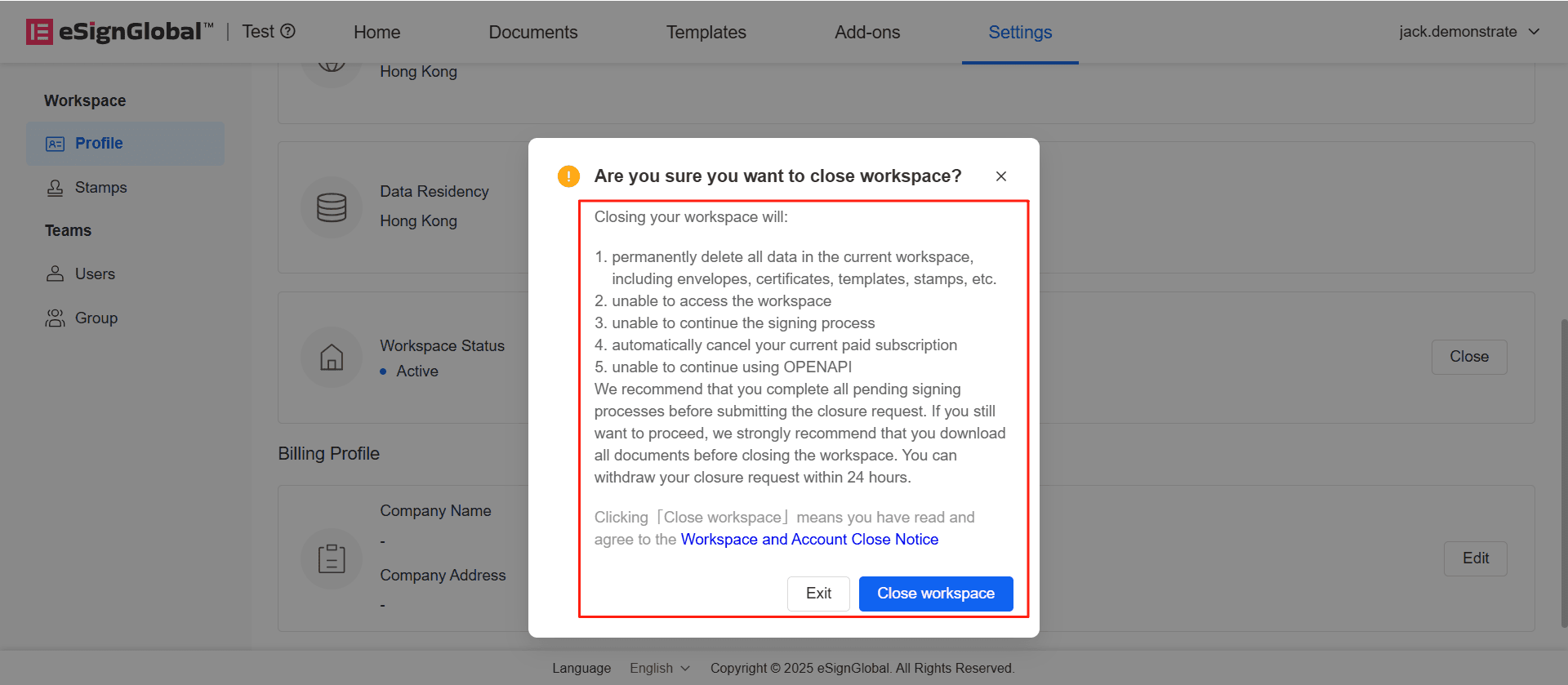
Closing a workspace will:
- Permanently delete all data within the current workspace, including envelopes, certificates, templates, stamps, etc.
- Prevent access to the workspace
- Prevent continuation of the signing process
- Automatically cancel your current paid subscription
- Prevent continued use of OPENAPI
- eSign.AI recommends completing all pending signing processes and downloading all documents before deactivating the workspace. You can withdraw the deactivation request within 24 hours.
Close Workspace
-
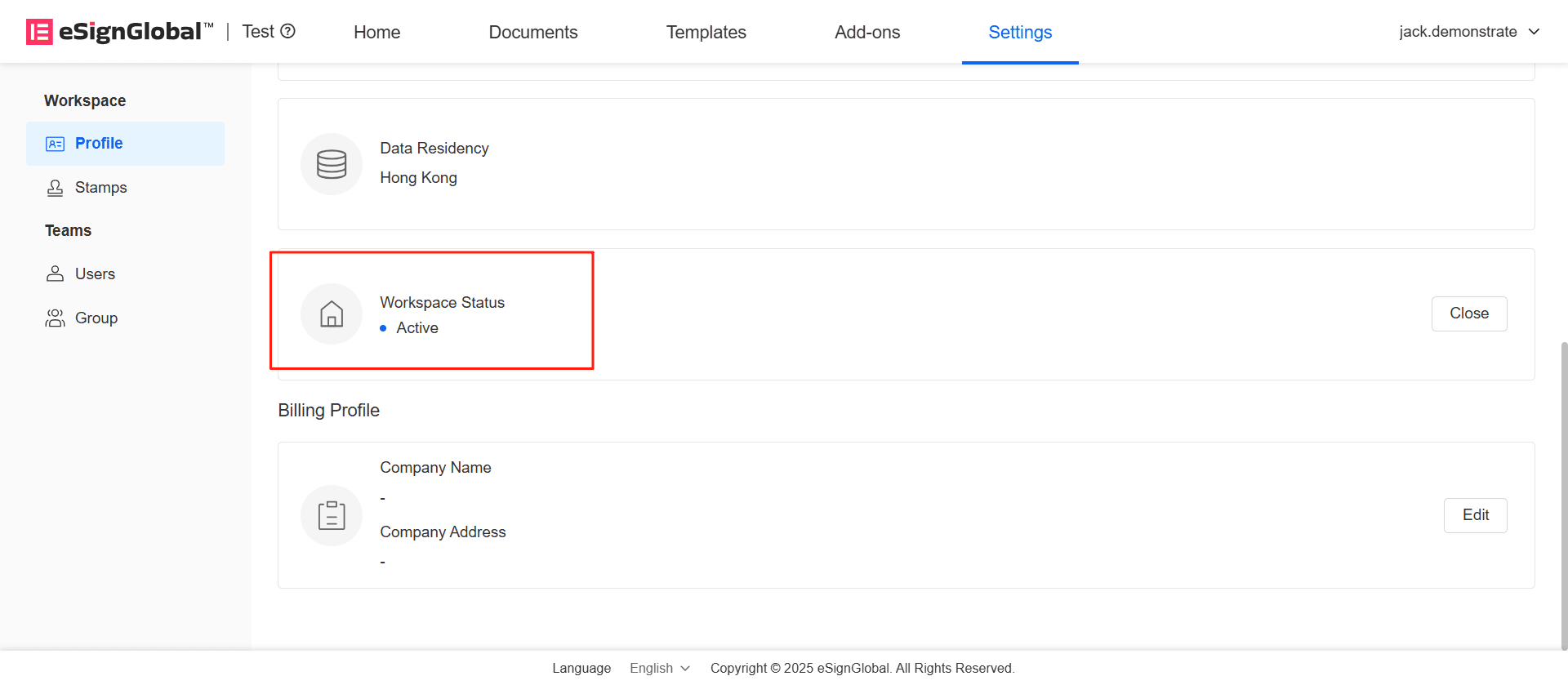
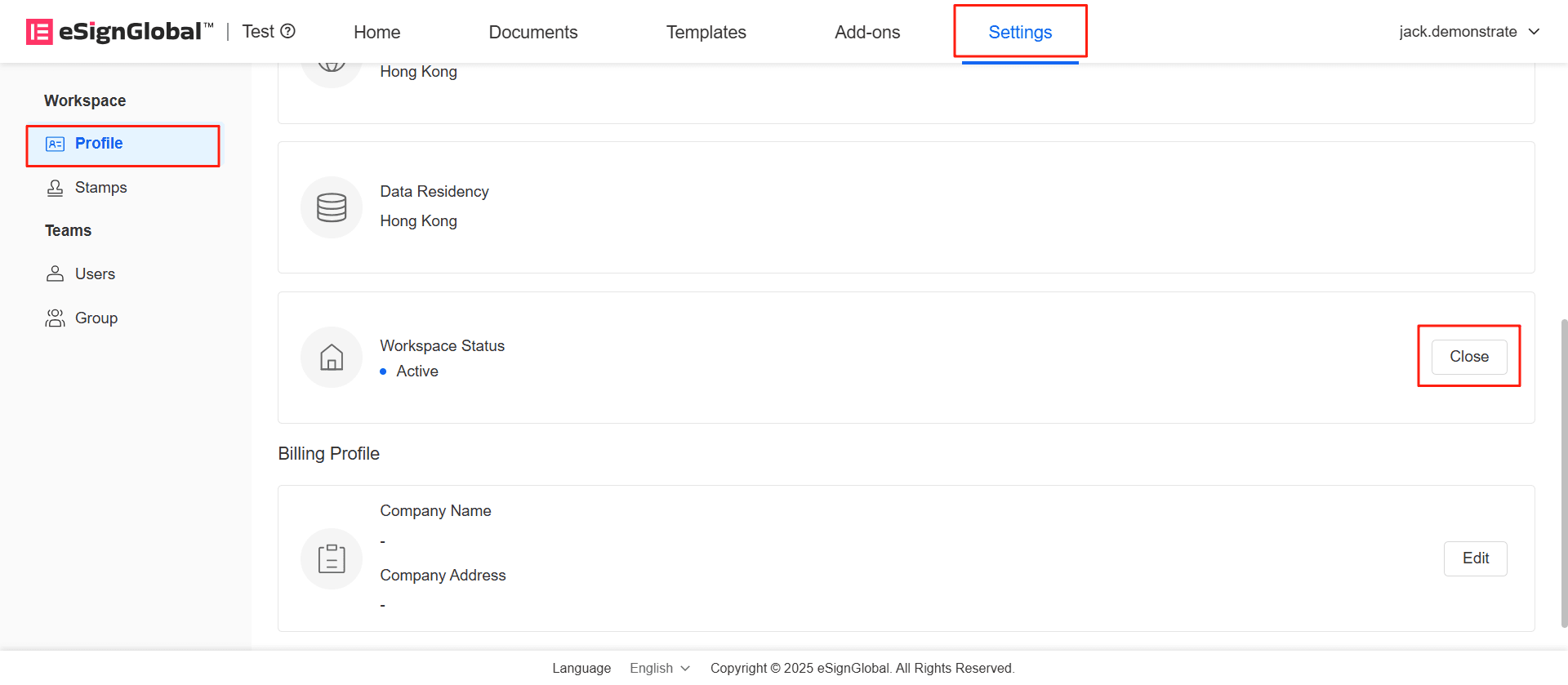
Enter the workspace you wish to close. In the Settings - Space Information - Basic Information menu, find the workspace status bar and click [Close].
-
In the pop-up window, please carefully read the deactivation precautions. Before confirming deactivation, please carefully read the Workspace and Account Close Notice. Clicking [Close workspace] indicates that you have agreed to the Workspace and Account Close Notice.
-
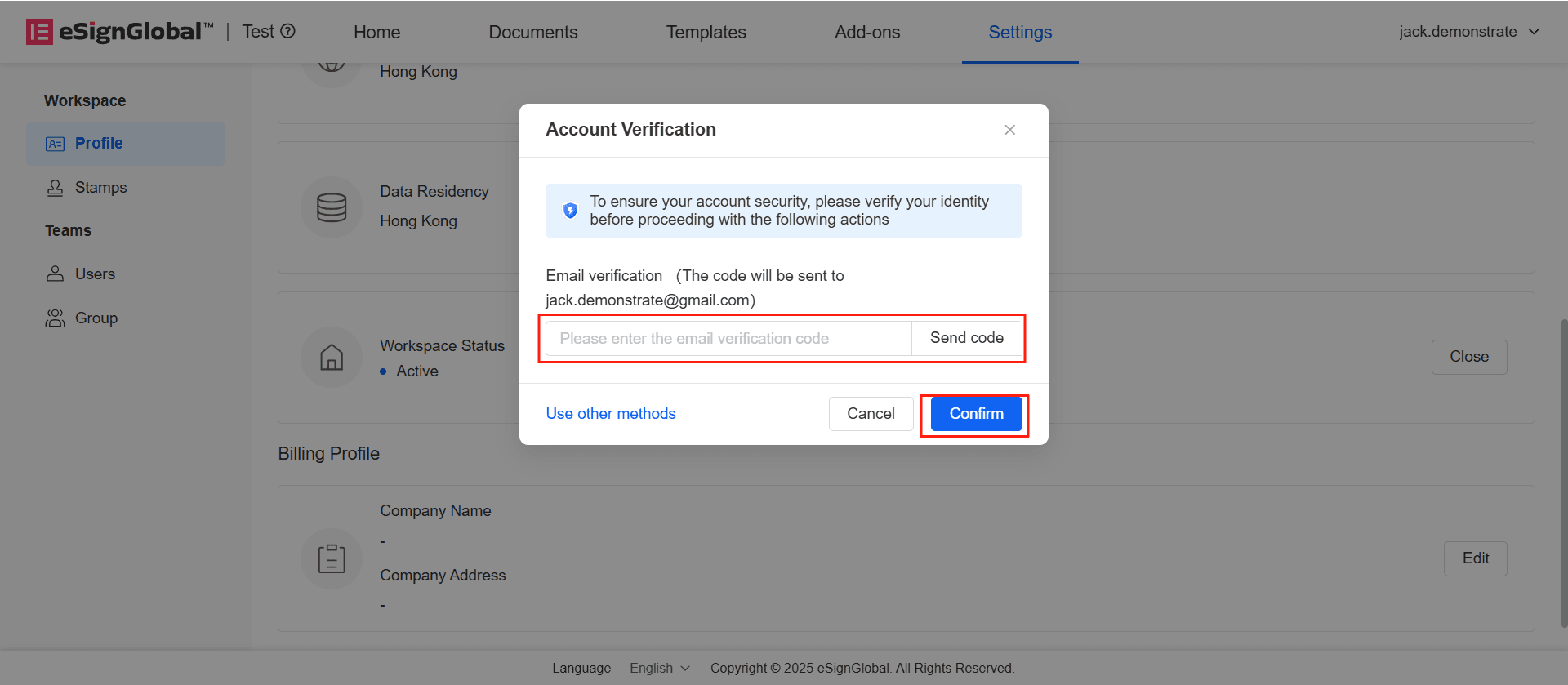
After the super administrator verifies the email, click Confirm to successfully submit the close request.
-
All members under the workspace will receive an email notification, reminding users that the workspace will be deactivated after 24 hours.
Withdraw Workspace Close Request
-
Within 24 hours after submitting the deactivation, the super administrator can click [Withdraw] to withdraw the deactivation request.
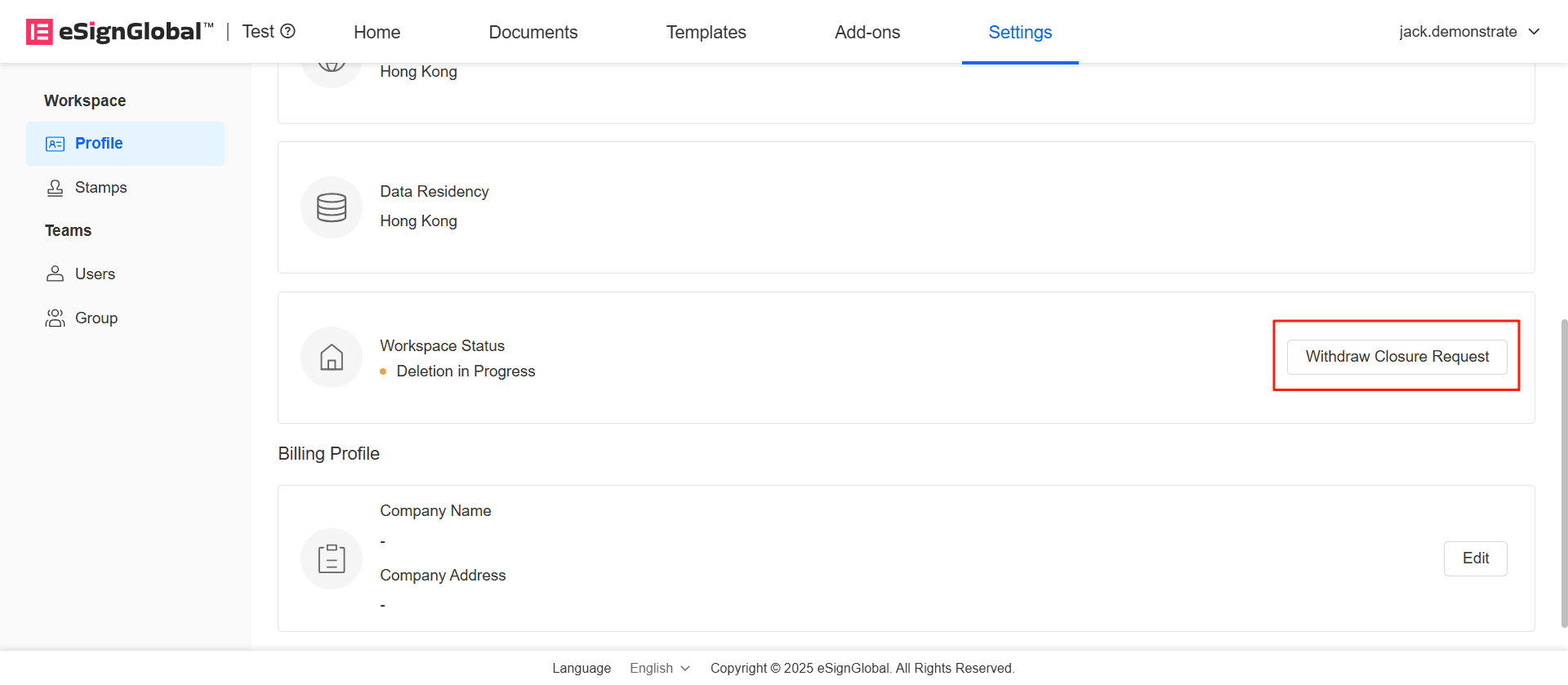
-
After email verification, click [Confirm].
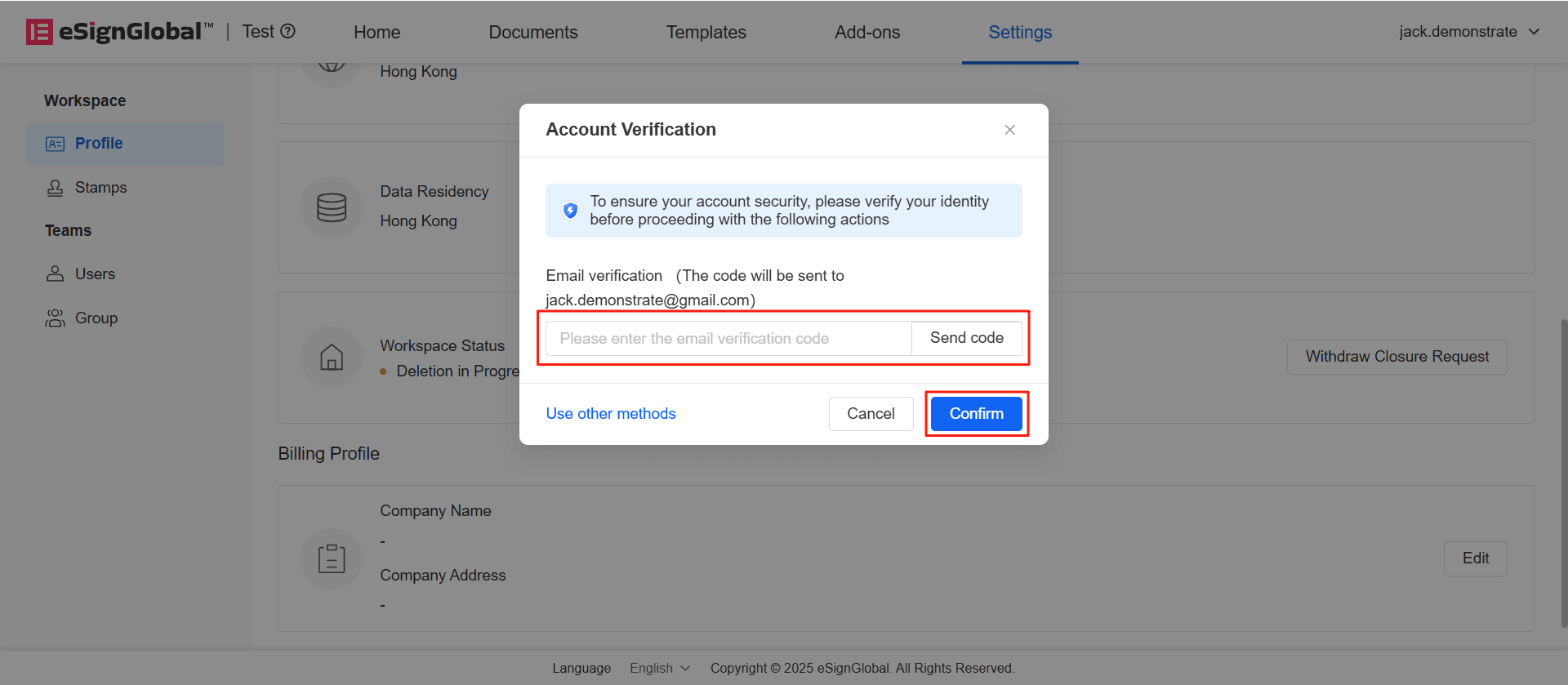
-
The workspace status changes to active, and the deactivation request is successfully withdrawn.